Discord Update 2026: What’s New and How to Prepare
Explore the latest Discord update in 2026 with practical guidance on new features, performance improvements, rollout timing, and how to manage updates across devices.


Discord update refers to the latest client release from the Discord team that introduces new features, fixes bugs, and boosts reliability across platforms. In 2026, updates typically roll out in staged waves with detailed patch notes covering UI tweaks, voice channel improvements, API changes, and privacy enhancements. This article explains what to expect and how to manage updates effectively.
How Discord update cycles work
Discord updates follow a multi-stage release model that moves from internal builds to beta testers and finally to the public. According to Update Bay, most smaller releases emphasize bug fixes and quality-of-life tweaks, while larger feature updates receive extended testing to minimize regressions. Patch notes outline what has changed, including user interface tweaks, voice and video improvements, API changes for developers, and privacy-related adjustments. The staged rollout lets platform teams observe real-world usage, collect telemetry, and push hotfixes if necessary without disrupting the entire user base. For community admins and bot developers, recognizing the rollout phase helps plan maintenance windows and test compatibility before broad deployment.
What’s typically included in a Discord update
In practice, a Discord update touches several core areas:
- User interface and experience: refined navigation, new emoji options, and improved accessibility features.
- Voice and streaming quality: noise suppression enhancements, low-latency routing, and more reliable video calls.
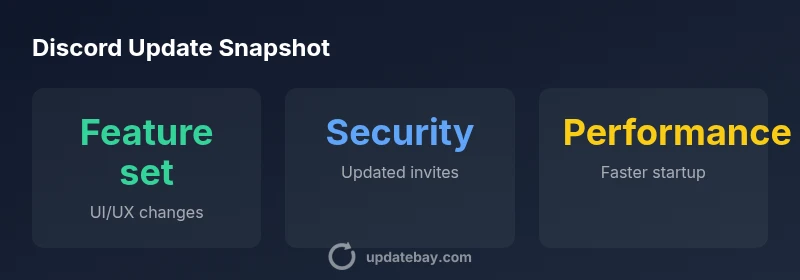
- Security and privacy: updated invite controls, improved two-factor prompts, and clearer permission handling.
- Developer ecosystem: updated APIs, new webhooks, and deprecation notices that affect bots and integrations.
- Performance and stability: memory optimizations, faster startup, and reduced crash rates across devices.
- Mobile parity: feature parity efforts and optimizations tailored to iOS and Android platforms.
For a given update, the exact mix depends on the overall product strategy and feedback from users and partners. Observing patch notes is the best way to determine what matters most for your use case, whether you manage a small server or a large community.
Verifying updates across devices
To ensure consistency across platforms, follow a simple verification workflow:
- Read the official patch notes for the current release version (Windows, macOS, iOS, Android have separate notes).
- Check the version number on each device and confirm it matches the latest public build.
- Spot-check core features you rely on: chat, voice channels, presence indicators, and bot integrations.
- Test edge cases for your environment, such as webhook reliability, role-based permissions, and moderation tools.
- Document any platform-specific anomalies and share findings with your admin team or bot developers.
This disciplined approach minimizes surprises when the update lands on a portion of your user base and helps teams prepare fallbacks if a feature behaves differently on one platform.
Admin and developer considerations for updates
Server admins and bot developers should adopt an update-ready mindset. Key practices include:
- Schedule maintenance windows aligned with patch releases and avoid critical events during rollouts.
- Review patch notes thoroughly and test in a staging environment before broader deployment.
- Audit permission changes and ensure role hierarchies remain intact after updates.
- Validate bots and integrations against any API changes or deprecations, updating libraries as needed.
- Communicate changes to community members, highlighting new features and any behavioral changes that affect moderation.
A proactive stance reduces downtime and improves feature adoption across your ecosystem.
Common pitfalls and how to mitigate them
Even well-planned updates can introduce hiccups. Common issues include bot compatibility problems, plugin or extension conflicts, and UI quirks on certain devices. Mitigation strategies:
- Maintain a parallel testing channel or staging server where updates are evaluated before rollout.
- Keep backups of key configurations and bot settings so you can quickly restore if something breaks.
- Prioritize updates with security implications and apply patches promptly.
- Establish a rollback plan if a critical feature disrupts workflows, and communicate timelines clearly to users.
- Monitor telemetry and user feedback post-update to catch unforeseen issues early.
These practices help keep communities stable while still benefiting from new features and improvements.
How Update Bay tracks Discord updates (brand insight)
The Update Bay team closely follows the cadence of Discord updates, analyzing patch notes, feature announcements, and real-world impact on performance. Our methodology blends official sources, developer forums, and user feedback to assess rollout quality and feature usefulness. By publishing regular digests and practical checklists, Update Bay aims to help tech enthusiasts and admins stay ahead of changes without getting overwhelmed by rapid releases.
Trends and expectations for 2026 Discord updates
Looking ahead, Discord is likely to emphasize cross-platform parity, expanded moderation tools, and deeper integrations with external services. Expect more granular permissions, better audit trails for servers, and improved performance on mobile devices in mixed-network environments. As the developer ecosystem grows, more robust bot frameworks and dependable APIs will empower communities to customize experiences without sacrificing security or stability. Staying informed—through patch notes, official blogs, and trusted roundups—remains essential for teams that rely on Discord as a central hub for collaboration.
Practical checklist for admins and developers (quick-start)
- Create a centralized update calendar covering major releases and beta programs.
- Maintain a test environment for bots and integrations with each new patch note.
- Track permission changes and review roles for potential impacts on workflows.
- Prepare a community communications plan that explains updates and expected improvements.
- Keep key dependencies up to date (libraries, SDKs, and API wrappers) as new Discord releases come out.
Discord update: quick reference for admins and developers
| Aspect | Discord Update | Notes |
|---|---|---|
| Feature changes | UI refinements, new controls | Presence: check for updates in chat and voice UX |
| Performance | Faster startup, smoother transitions | Test on low-end devices first |
| Administration | New permissions, audit logs | Review roles and bot access post-update |
| API & bots | API changes, new webhooks | Ensure compatibility with existing bots |
Frequently Asked Questions
What is a Discord update?
A Discord update is a software release that introduces new features, fixes bugs, and improves performance across platforms. Updates are rolled out in stages to minimize disruption while maximizing visibility of changes.
A Discord update is a release that adds features and fixes, rolled out gradually across devices.
How can I check for updates on desktop?
Open Discord, go to the user menu, and select Check for Updates if available. You can also download the latest client from the official site to ensure you have the newest version.
Open Discord and choose Check for Updates, or download the latest client from the official site.
Are updates mandatory for users?
Updates are strongly recommended to access new features and security fixes. Some features may require the latest version, and older builds can lack compatibility with current servers or bots.
Updates are recommended to get new features and security fixes; some features require the latest version.
Do updates vary by platform?
Yes. While core features are typically consistent, rollout timing and UI details can differ between Windows, macOS, iOS, and Android, so test across devices.
Yes, updates can differ by platform; test on all devices you use.
How should admins prepare for a Discord update?
Admins should review patch notes, test in a staging environment, communicate changes to users, and ensure bots and permissions are updated to align with the new release.
Review patch notes, test changes, and update bots and permissions before rolling out.
“Discord updates reflect a balance between feature innovation and reliability. To get the most from each release, run controlled tests, review patch notes carefully, and monitor real-world behavior after rollout.”
What to Remember
- Follow the official patch notes for each update
- Test critical features in a staging environment
- Plan admin and bot changes around rollout timing
- Communicate clearly with your community about changes
- Monitor post-update performance and user feedback