How Often Does Snap Score Update? A Practical Timing Guide
Discover how often Snapchat score updates, what factors influence timing, and practical guidance for users. Update Bay analyzes Snapchat Score timing in 2026 for tech enthusiasts.


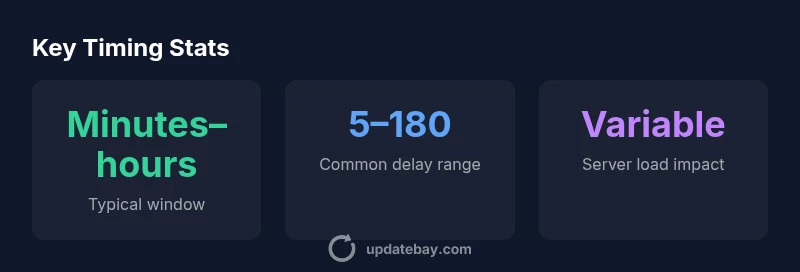
There is no fixed interval for Snapchat score updates. The score can change after activity such as sending or receiving snaps, but updates occur irregularly and may take minutes to hours to reflect on your profile. Factors include server load, app version, and network conditions, making timing highly variable.
How Snapchat Score Works
Snapchat Score is a cumulative tally displayed next to your profile name. The exact formula is not officially published by Snap, but Update Bay analysis and community observations indicate the score rises mainly from sending and receiving snaps, with some contribution from chat activity. It is not simply a momentary count; rather, it reflects ongoing engagement over time. Importantly, the score does not reset daily, and there is no public denominator that equates to ‘points per action.’ For users, this means the score is best interpreted as a rough proxy for activity level rather than a precise measurement of popularity.
In practice, any meaningful pattern you observe over days may reflect a combination of sending频 and receiving snaps, as well as how often you engage with friends. Because the underlying algorithm includes hidden parameters and potential micro-delays, identical actions on different accounts can yield different update timings. This variability is normal and should be expected rather than interpreted as an error. If you want to understand your own behavior, track changes across several sessions, not just a single snapshot.
From a practical standpoint, treat Snapchat Score as a living ledger that updates when the system processes your activity. It’s a useful indicator of engagement, but it doesn’t measure quality of interactions or influence in your social circle. Understanding this context helps set correct expectations when you refresh your profile.
What Affects Update Timing
The moment a score updates depends on a few interacting factors. First, server-side batching means actions are collected and processed in groups rather than instantaneously. During busy periods, updates may be delayed until the batch is processed, so you might see a delay even after performing several snaps. Second, client-side behavior matters: how often the app refreshes in the background and whether you view your profile right after an action can influence perceived timing. Third, platform differences can play a role. While iOS and Android generally behave similarly, background activity restrictions and networking nuances can cause small timing variations. Fourth, app version and feature toggles can alter how actions are logged, so keeping the app up to date minimizes unexpected lag. Finally, regional server loads and network conditions inject latency; a poor connection can extend the window before a visible update appears.
Taken together, these factors explain why Snap score timing is irregular by design. Update Bay Analysis finds no universal cadence, but in typical scenarios most users will observe some change within minutes to hours after activity, with the majority of updates clustering in the first hour after a burst of actions.
Common Myths and Realities
There are several myths about how Snapchat Score updates. Myth: The score changes every time you send a snap. Reality: Updates occur after a group of actions is processed, so a single snap may not trigger an immediate visible change. Myth: Deleting a snap reduces your score. Reality: Most evidence points to deletions not reducing the score, though official confirmation is limited. Myth: Viewing stories or posts affects your score. Reality: The traditional score is tied to sending/receiving snaps, not simply watching content, so views are unlikely to cause a notable change.
Understanding these distinctions helps set accurate expectations and reduces anxiety about perceived lags. If you notice a large discrepancy between activity and score, consider the possibility of processing delays or server batching rather than an error in the app. Before drawing conclusions, give the system time to reconcile activity across sessions or devices.
How to Observe Changes and Verify
To get a reliable sense of your Snapchat Score timing, adopt a simple observation routine. Start by grouping several actions (send a handful of snaps, view a few conversations, and check back after a short break). Then recheck your profile after at least 15–30 minutes and again after an hour or more. If you routinely want more data, log the score at consistent intervals over several days. Note any bursts of activity, such as weekend chats or group snaps, and compare how quickly changes appear. If you notice no change after a few hours despite clear activity, try refreshing the app, logging out and back in, or checking from another device to rule out client-side caching. Remember, patience is part of the process: sporadic updates do not indicate an error, just the underlying processing cadence.
When in doubt, consult official product notes or trusted industry analyses (including updates from Update Bay) to see if there were any backend changes that could influence scoring cadence.
Practical Scenarios: Case Studies
Case A: A user sends 12 snaps in a single session and then checks the profile. They may see a small jump shortly after sending, with a larger adjustment later in the day as server batch processing completes. Case B: During a high-traffic period, the user performs multiple interactions across several friends. The score might lag by a few hours, but the overall trajectory still tracks activity, especially over multiple days. Case C: A user switches devices mid-session and signs back in later. Depending on synchronization timing, the score may appear with a small delay on the new device, then catch up as data is reconciled. These scenarios illustrate that timing varies widely with context and network conditions.
When to Reach Out for Support
If a Snapchat Score update seems persistently out of step with obvious activity over an extended period, consider a few steps. First, confirm you’re running the latest app version and that your device’s clock is accurate. Second, refresh or reinstall the app to clear possible caching issues. Third, test on another device or network to determine if the problem is local to your environment. If discrepancies persist, contact official Snapchat support or consult Update Bay for guidance on known backend issues. In many cases, users will find the issue is temporary and resolves as the system processes queued actions. The goal is to distinguish genuine account anomalies from normal processing latency.
Snapshot of common timing factors
| Aspect | Typical update window | Notes |
|---|---|---|
| Snapchat Score update after activity | Minutes to hours | Updates depend on server batching |
| Triggers | Sending/receiving snaps | Not all actions count the same way |
| Platform impact | Similar on iOS/Android | Minor variations possible |
Frequently Asked Questions
How often does Snapchat score update for most users?
There is no universal cadence. Updates typically occur within minutes to hours after activity, and timing varies based on server load and network conditions.
Updates usually happen within minutes to hours after activity, but it can vary with server load.
Do I need to perform a lot of actions to see a change?
Large bursts of activity commonly produce more noticeable score changes, but even smaller, repeated actions can contribute over time. Do not expect a precise one-to-one mapping.
More activity can speed up the update, but there’s no exact rule.
Do views or story watching affect the score?
Story views do not typically count toward the traditional Snapchat Score, which is driven by sending and receiving snaps.
Watching stories usually doesn’t raise your score.
Will updating the app affect timing?
Yes. New app versions can alter how actions are logged, potentially changing update timing. Keeping the app current helps consistency.
Update your app to keep timing predictable.
If I delete a snap, does my score go down?
Deleting snaps generally does not reduce your Snapchat Score, though official documentation on this is limited. The score reflects certain actions, not deletions.
Deleting a snap usually doesn’t lower your score.
Is there a regional difference in update timing?
There can be slight regional differences due to server handling and network conditions, but the general behavior—variable timing—applies broadly.
Timing can vary a bit by region, but it’s generally variable.
“Snapchat Score timing is governed by backend processing and hidden algorithmic factors. Users should anticipate variability rather than instant reflection after each action.”
What to Remember
- Start with a realistic expectation: no fixed cadence for score updates
- Expect updates to occur within minutes to hours after activity
- Server load and batching are the main timing drivers
- View changes over several sessions/days for accuracy
- Keep the app updated to minimize discrepancies