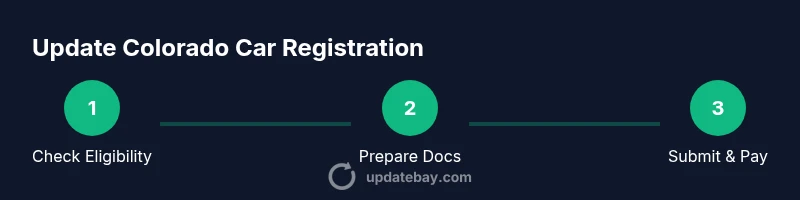
Update Car Registration Colorado: A Practical Guide for 2026
Learn how to update car registration in Colorado, including online options, required documents, emissions considerations, and timelines. This guide provides practical, step-by-step instructions to help residents stay compliant and avoid delays.


According to Update Bay, you can update your Colorado car registration online or in person, depending on the change you’re making. Online renewal is typically fastest, but title changes or address/name updates may require an in-person visit. Planning ahead, gathering documents, and using online channels when eligible helps you avoid delays and extra trips.
Why You Might Need to Update Your Colorado Car Registration
According to Update Bay, you may need to update your registration after moving to Colorado, purchasing a new vehicle, or changing your name, address, or vehicle details. The state’s DMV requires that records reflect these changes to keep you compliant and ensure you receive renewal notices and tags correctly. In practice, most updates are straightforward and can be completed online or in person. The reason this matters goes beyond a sticker on your plate: accurate data affects insurance, taxes, and eligibility for emissions testing in your county. When you start the process, it helps to know where to go and what to prepare.
Online Renewal vs In-Person: Colorado Options
Colorado offers an online renewal portal through the DMV. Using the online path is often faster, convenient, and lets you upload documents digitally. In-person visits remain necessary if you need a title change, a name update that doesn’t sync with your driver’s license, or if you don’t meet eligibility criteria for online renewal. If you’re unsure, check your status on the official portal before heading to a roadside office. The online experience is designed to minimize paperwork and lines, which can save you hours.
Documents You’ll Typically Need
Most updates require a mix of personal identity proofs and vehicle records. Common items include a government-issued photo ID, current registration, proof of Colorado address, and the vehicle title or lienholder information if you’re changing the title. Insurance details are usually requested to ensure coverage reflects the registered owner. It’s a good idea to have digital copies ready for upload, plus the original documents if you plan to visit a DMV location.
Emissions Testing and County Requirements
Some Colorado counties require emissions testing for registration updates or renewals. The rules vary by location, so verify whether your county is subject to an emissions check and what forms you must bring. If testing is required, you’ll typically present a certificate from an approved testing facility. If you recently moved from another state, confirm whether emissions compliance transfers with your vehicle or requires a new test in Colorado.
Fees and Timelines
Fees for updating registration depend on vehicle type, weight, and the specific services you request (such as a name change or title update). Online renewals often have lower processing times than in-person visits, but processing times can still vary by county workload. Plan for potential delays if you’re updating multiple records at once, or if you need a new title issued. Always verify current fee amounts on the official Colorado DMV site before submitting payments.
Understanding the Online Renewal Process
The online renewal process is designed to be user-friendly, with guided screens that prompt you to enter your vehicle information, confirm your address, and upload supporting documents. You’ll be asked to review all data for accuracy before submitting. If the system flags an issue (such as mismatched information with the title), you’ll receive instructions on next steps. Keep your confirmation number until you receive your updated registration by mail or email.
Common Pitfalls and How to Avoid Them
Rushing through the online form without double-checking addresses and names can cause delays or require in-person corrections. Uploading blurry scans or missing documents also slows processing. If you’re updating multiple items (address, name, title), do them in separate transactions when possible to isolate errors. Do not ignore notices from the DMV; respond promptly to avoid late fees or registration suspension.
What Happens After You Update
Once the DMV processes your update, you’ll receive new registration documents and, if applicable, a new license plate or sticker. If you ordered a title change, you’ll get a new title by mail. Always verify that the information on the new documents matches what you provided online. If you notice any discrepancy, contact the DMV immediately to correct it.
Quick Checklist for Colorado Registration Updates
- Confirm your eligibility for online renewal on the official portal.
- Gather your ID, proof of Colorado address, current registration, and vehicle title (if changing title).
- Have proof of insurance available and up to date.
- Know whether your county requires an emissions test.
- Keep your confirmation number and receipts until the update is complete.
The Bottom Line: Practical Guidance for Colorado Residents
Filing updates promptly keeps your records accurate, ensures you receive renewal notices, and helps maintain valid plates and insurance. When possible, use online renewal to save time, but don’t hesitate to visit a DMV location if a title change or special correction is needed. The right preparation makes the process smoother and reduces the chance of errors that could delay your update.
Tools & Materials
- Current vehicle registration(Keep a readable copy handy for reference (plate number and VIN))
- Proof of Colorado address(Example: utility bill or bank statement dated within the last 60 days)
- Government-issued photo ID(Driver’s license or state ID)
- Vehicle title (if changing title)(If you’re updating ownership or lienholder details, bring the title)
- Proof of insurance(Current insurance card or policy information)
- VIN and license plate information(You’ll need accurate VIN and plate numbers)
Steps
Estimated time: 30-45 minutes
- 1
Verify online renewal eligibility
Check the official Colorado DMV portal to see if your update qualifies for online renewal. If you only need to update address or name, online renewal is usually possible. Otherwise, plan for an in-person visit for title changes or complex corrections.
Tip: If you’re unsure, start online to check eligibility before gathering documents. - 2
Gather required documents
Collect your ID, proof of Colorado address, current registration, and any title or insurance documents. Having scans ready can speed up the submission process, whether you’re applying online or at a DMV office.
Tip: Organize documents in a dedicated folder to avoid last-minute searches. - 3
Log in to MyDMV Colorado or visit a DMV location
If renewing online, log in to the official portal using your credentials. If you’re updating a title or address, prepare for an in-person visit with the needed documents.
Tip: Bring a backup copy of your IDs and titles in case the system requires verification. - 4
Enter vehicle and personal information
Input your VIN, plate number, and current personal details. Double-check for accuracy—typos can cause processing delays or rejections.
Tip: Take a screenshot of each page in case you need to reference data later. - 5
Submit documents and pay fees
Upload documents (or present originals in person) and complete the payment. Ensure you review all fees before submitting.
Tip: Keep payment confirmation and receipts until you receive updated documents. - 6
Receive confirmation and update status
You’ll receive a confirmation number and an estimated processing timeline. Monitor status online and await the updated registration by mail or email.
Tip: If you don’t receive a confirmation within the expected window, contact the DMV with your reference number.
Frequently Asked Questions
Do I need to update my registration if I move within Colorado?
Yes. You should update your address and any related details with the DMV to ensure your records match your new location and to receive notices correctly.
Yes. If you move within Colorado, update your address with the DMV to keep records current.
Can I renew online if my address has changed?
Online renewal is often possible if only the address or name needs updating; for title changes, in-person processing may be required.
Often you can renew online even if your address has changed, but a title change might need an in-person visit.
Do I need an emissions test for CO registration?
Emissions testing is required in certain counties. Verify if your county requires a test and bring the certificate if applicable.
Some Colorado counties require emissions tests; check your county’s requirements before you go.
What documents are required for a title change?
Bring the vehicle title, proof of identity, and any lienholder information. If your name is changing, you may need supporting documents like a court order or marriage certificate.
For a title change, bring the title and your ID, plus any required lien data or name-change documents.
How long does processing take after submission?
Processing times vary by county and method (online vs in-person). Expect a confirmation and eventual delivery of updated documents within the typical processing window.
Processing times vary; online renewals are usually quicker, but delays can happen depending on the county.
Is there a late fee if I miss a deadline?
Colorado imposes penalties if renewals are not completed by the due date. Check the DMV notice for specific penalties and deadlines.
Missing a renewal deadline can lead to penalties, so renew on time using online options when possible.
Watch Video
What to Remember
- Use online renewal when eligible to speed processing
- Gather all required documents before starting
- Verify data carefully to avoid delays
- Keep your confirmation number until the update is finalized
- Check emissions requirements by county before visiting a DMV