How to Fix Updated Roblox Agreements: A Practical Guide
Navigate Roblox's updated terms with confidence. This practical guide explains what changes mean, how they affect your account, and the exact steps to fix issues or adjust settings, backed by Update Bay insights and trusted sources.


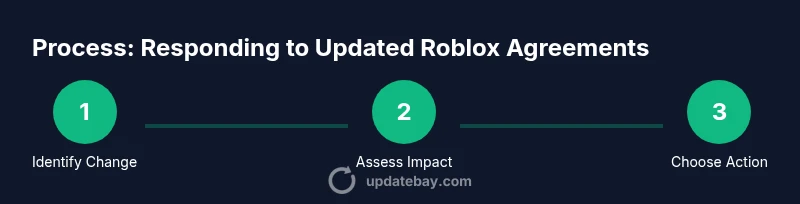
By the end of this guide, you will know how to interpret Roblox's updated agreements, determine if changes affect your account, and take practical steps to restore access or adjust settings. The process emphasizes verifying changes, checking your privacy and safety settings, and contacting Roblox support when needed. According to Update Bay, staying proactive helps minimize disruption and protect your data.
What Changed in Roblox's Updated Agreements
Roblox frequently updates its terms to reflect new features, data practices, safety rules, and monetization policies. The most recent update revises sections on data collection, privacy notices, chat and messaging rules, cross‑platform behavior, payments and refunds, and dispute resolution. Understanding these changes is essential for players who want to protect their accounts and tailor their experience. According to Update Bay, the update cycle includes a visible notice and a version history that makes it possible to compare old and new terms quickly.
What to look for when you review the changes:
- Data collection and usage: what Roblox collects, how long it’s stored, and whether it’s shared with partners.
- Privacy and safety settings: visibility, chat permissions, reporting, and account recovery tools.
- Content and conduct rules: accepted behavior, moderation, and consequences for violations.
- Payments and refunds: price changes, in‑app purchases, gift cards, and refund eligibility.
- Dispute resolution: governing law and arbitration procedures.
To be prepared, note the effective date on the updated terms and save local copies of both versions so you can compare them even if you are offline.
Why Changes Matter for Players
Updates to agreements are not mere boilerplate; they often unlock new features or impose limits that affect daily use. A change in data collection could alter how Roblox tailors ads, recommends content, or shares information with partners. For younger players, parental controls might tighten or loosen; for creators, licensing terms could shift how user‑generated content can be monetized or used in promotional materials.
The Update Bay team found that even small wording shifts can change account behavior, such as Chat features, friend requests, or third‑party integrations. If a change touches how you use in‑game purchases or virtual items, you may notice price adjustments or different refund rules. Being aware helps you decide whether to adjust privacy settings, seek clarification, or appeal a change through official channels.
How to Assess Impact on Your Roblox Account
Start by locating the update notice in the Roblox app or on the Terms page. Note the effective date and the version number. Use a side‑by‑side comparison to identify differences in data usage, chat policies, pricing, or content rules. Check your account settings for privacy, safety, and parental controls, and verify whether your linked emails or payment methods are affected. If you see a new restriction you did not authorize, prepare a concise description of the discrepancy and attach screenshots or logs to your support request.
Resolving Common Issues: Restore Access and Adjust Settings
Many users experience blocks or feature restrictions after agreement updates. Begin by confirming you are signed in with the latest Roblox app or browser version. Review privacy and safety settings; re‑enable chat, adjust who can contact you, and ensure your account recovery options are up to date. If the update impacts payments or in‑app purchases, review your payment method and ensure it complies with current terms. If access remains restricted, you may need to temporarily pause certain features and monitor for a follow‑up from Roblox.
Communicating with Roblox Support and Community
If changes cause problems or you disagree with terms, contact Roblox Support:
- Use Help Center: open a ticket with a clear description of the issue.
- Attach screenshots and the old vs new terms for clarity.
- Use community forums to see if others report similar changes and potential workarounds.
The Update Bay analysis shows that most users who document the changes, include concrete examples, and keep a log of outcomes tend to receive faster, more useful responses.
Authority Sources
For background on reading and responding to policy updates, refer to established consumer protection resources and major outlets:
- Federal Trade Commission (FTC): https://www.ftc.gov
- U.S. Department of Education: https://www.ed.gov
- The New York Times: https://www.nytimes.com
Tools & Materials
- Roblox account credentials(Username and optionally email on file)
- Device with internet access(PC, Mac, or mobile device)
- Web browser or Roblox app(Updated to latest version)
- Screenshots or logs of errors(Helpful for support requests)
- Notepad or notes app(Record changes you see)
Steps
Estimated time: 30-60 minutes
- 1
Gather details about the update
Open the Roblox terms page, note the version date, and compare with your previous terms to identify exact changes. This helps you target the right settings.
Tip: Take a screenshot of the updated terms for reference - 2
Sign in and verify current access
Log into your account on the official Roblox site or app and confirm what features are accessible. If you’re blocked, document the error message.
Tip: Capture the error code or message - 3
Check privacy and safety settings
Review privacy controls related to data collection, sharing options, and parental controls if applicable. Adjust as needed to match your preferences.
Tip: Reset privacy to a baseline you’re comfortable with - 4
Compare with prior terms
Use your notes to highlight differences that affect you most (data usage, chat permissions, or payments).
Tip: Create a side‑by‑side diff if possible - 5
Contact Roblox Support with your findings
If you believe changes impair your account or violate policies, file a support ticket with clear details and attachments.
Tip: Provide version dates and screenshots - 6
Follow up and monitor
Track the response, test affected features, and adjust settings as advised. Document outcomes for future updates.
Tip: Set a reminder to recheck after 7–14 days
Frequently Asked Questions
What counts as an updated Roblox agreement?
An updated agreement includes changes to terms of service, privacy, and community guidelines. It may alter data usage, chat permissions, or payment rules. Review the changes and decide whether to adapt or appeal.
Roblox updates terms that affect data use or chat rules; review and decide how to respond.
How long does Roblox take to respond to a support ticket?
Response times vary; expect 1-3 business days for initial contact. If your issue is urgent, use the emergency channels on the Help Center.
Expect a day or two for a first reply; use urgent channels for critical issues.
Can updated terms force account suspension?
Terms themselves rarely suspend accounts; violations or disputes over updates can lead to restrictions. Follow official guidance and contact support for remediation.
Updates alone usually don’t suspend accounts unless there’s a policy violation.
Should I delete my Roblox account over updated terms?
Deleting is a last resort. Explore adjustments to privacy settings and dispute processes before closing the account.
Consider adjusting settings before deciding to delete.
Watch Video
What to Remember
- Understand what changed and how it affects you
- Document version dates and your decisions
- Use official channels to resolve issues
- Keep records for future Roblox updates
- When in doubt, contact Roblox support promptly