DEA Address Update: Step-by-Step Guide
Learn how to perform a dea address update with our practical, regulatory-compliant guide. Get a clear checklist, step-by-step instructions, and tips to keep your DEA records current and accurate.


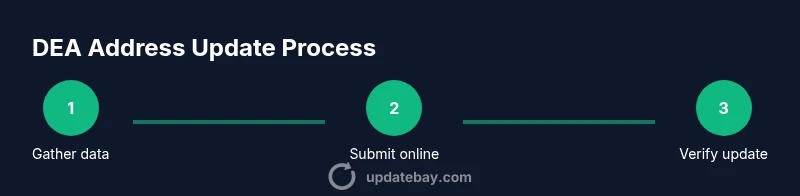
You can update a DEA address by submitting a change request through the DEA’s online Diversion Control portal or by mail. Have your DEA registration number, the old and new address, your legal business name, and a reliable contact for notices ready. Processing times vary, and you may receive a confirmation once the change is reviewed.
What is a DEA address update and why it matters
An address update with the DEA (Drug Enforcement Administration) is the formal process of changing the registered location that your entity uses for controlled substances activities. Keeping this information current is essential for receiving notices, renewal reminders, and compliance communications. According to Update Bay, accurate address records help prevent missed alerts and potential compliance issues during audits. This update does not change your registration type or renewal schedule, but it does ensure communications reach the correct location. In this section we’ll lay the groundwork so you understand what you’re updating and why it matters for day-to-day operations.
- Why it matters for compliance and audits
- How it affects notices, renewals, and inventory management
- The relationship between address accuracy and other registrations
When you should update your address
Address changes happen for many legitimate reasons: relocating a facility, expanding to a new site, or rebranding the registered location. It’s best practice to update the DEA as soon as you have a confirmed new address to ensure that critical communications are not sent to a former site. Inconsistent addresses can complicate audits, delay renewals, and create gaps between your DEA records and other licensing bodies. If your operation includes multiple sites or a DBA, coordinate updates for each entity to avoid gaps. Update Bay emphasizes proactive updates to maintain continuity in compliance communications.
Online vs mail: options and expectations
The online portal provides the fastest path to updating your address. It offers a guided workflow, built-in validation, and an auditable trail of changes. If you cannot use the online system, you can submit a change request by mail, accompanied by any required documentation. Mail submissions may take longer and require extra care to ensure forms are completed accurately. Regardless of method, keep your contact details current so the DEA can reach you for verification or questions. Update Bay recommends starting with the online method when available to speed the update.
What information you need to submit
Before you begin, assemble the data and documents the DEA requires for an address update. Typical items include your DEA registration number, your entity name exactly as registered, the old address on file, and the new address you want to use. You’ll also need a primary contact’s email and phone number for notifications, plus any supporting documents (lease agreement, utility bill, or official letter) that prove the new location. If you operate multiple sites, prepare documentation for each location. Having everything ready minimizes back-and-forth and speeds processing. Update Bay’s guidance stresses collecting materials in advance to avoid delays.
Verification and follow-up: how to confirm the change
After you submit the request, the DEA will review the data for accuracy and compliance. You should receive a confirmation notice or reference number indicating that the request is in process. Save this reference, and monitor your email and the online portal for requests for additional information. Once approved, verify that the new address appears in your DEA registration profile and any related licensing databases. A quick internal audit of downstream records—such as staff directories, shipping addresses, and billing details—helps ensure consistency across your organization. Update Bay notes that timely verification reduces the risk of misdirected notices later on.
Common pitfalls and safety considerations
Common mistakes include providing an incomplete form, failing to attach required documentation, or using an outdated address in related registrations. Always double-check the address format against state and postal standards. Inconsistent addresses across DEA records and supplier accounts can trigger compliance reviews or delays. Never share login credentials or submit sensitive documents through insecure channels. Use official portals or verified submission methods only and maintain copies of all confirmations for your compliance file. A cautious approach minimizes back-and-forth and reduces processing time. Update Bay emphasizes secure handling of data throughout the process.
How Update Bay helps with dea address updates
Update Bay specializes in practical, reliable updates that affect how you operate day to day. Our step-by-step guidance, checklists, and best-practice notes help you navigate a dea address update with confidence. We focus on accuracy, documentation, and timely follow-up so you stay in good standing. As you work through the process, refer to official DEA sources for definitive instructions and use our tips to streamline each step. The Update Bay team is here to help you stay current and compliant.
Related updates and best practices
Beyond address changes, consider reviewing related registrations and licenses that might be impacted by a move (e.g., renewal cycles, registration purpose, or entity ownership). Establish a disciplined update schedule and assign a staff member to monitor regulatory notices. Maintain a centralized compliance file with submission receipts, confirmations, and updated documents. Periodic internal audits help catch discrepancies early, reducing risk during inspections.
Tools & Materials
- DEA registration number(Your unique registration number from the DEA; it identifies your entity.)
- New physical address(Full address to update, including street, city, state, and ZIP.)
- Old address on file(Current registered address to confirm changes.)
- Employer/entity name(Registered name exactly as it appears in DEA records.)
- Primary contact email and phone(For DEA confirmations and updates.)
- Supporting documentation(Lease documents, utility bill, or other proofs showing the new address.)
- Portal access(Have login credentials or submission method ready.)
Steps
Estimated time: 60-90 minutes
- 1
Gather all required information
Collect your DEA registration number, current and new addresses, entity name, and contact details. Gather any supporting documents you plan to attach (lease, utility bill, etc.). This prep minimizes back-and-forth later in the process.
Tip: Create a checklist and verify each item against the DEA’s required fields before starting. - 2
Log in to the DEA online portal
Access the Diversion Control online portal using your credentials. If you don’t have an account, follow the registration steps to create one. Online access provides the fastest path to an address update.
Tip: Use a secure device and ensure the page URL starts with https. - 3
Start the change of address workflow
Select the option to change your registered address and choose the appropriate entity/registration. This sets up the structured form for your new address details.
Tip: Double-check you’re updating the correct registration if you manage multiple entities. - 4
Enter new address details
Enter the full new address precisely as it should appear in your records. Include all required components (street, city, state, ZIP) and ensure consistency with supporting documents.
Tip: Avoid abbreviations that could cause validation errors. - 5
Attach supporting documents
Upload lease agreements, utility bills, or other documents that prove the new location is active and compliant. Missing docs can delay processing.
Tip: Label files clearly (e.g., NewAddress_Lease.pdf). - 6
Review all entered data
Go through each field carefully to catch typos, misalignments, or mismatches with the attached documents. Correct any discrepancies before submission.
Tip: Use the portal’s preview function if available. - 7
Submit the change request
Submit the address update through the portal and capture the submission reference number. If submitting by mail, ensure forms are complete and signed.
Tip: Keep the reference number in a secure place for tracking. - 8
Monitor for confirmation
Check for a confirmation notification from the DEA or a confirmation email. If you don’t receive acknowledgment within a reasonable window, contact the agency for status.
Tip: Set a reminder to review the status within the expected processing window. - 9
Verify the updated records
Once approved, verify that the new address appears in your DEA registration profile and related databases. Update internal records accordingly.
Tip: Run a quick internal audit of shipping, billing, and staff directories. - 10
Close the loop with stakeholders
Inform internal teams and external partners of the updated address to ensure continued compliance and accurate correspondence.
Tip: Provide everyone with the new contact details and submission reference.
Frequently Asked Questions
Do I need to update my DEA address if I relocate temporarily?
Yes. Even for temporary relocations, update the address to ensure notices are sent to the correct location. If you have ongoing operations at multiple sites, coordinate updates accordingly.
Yes—update to avoid missed notices during temporary moves.
Can I update multiple addresses at once?
The DEA generally requires updates per entity or registration. If you manage several locations, you may need separate change requests for each site, submitted through the same portal or process.
You may need separate updates for each location.
What if I submit incorrect information?
If information is incorrect, the update can be delayed or rejected. You can correct the data and resubmit. Double-check all fields and documents before sending.
Make sure everything is correct before you submit.
Will updating my address affect my renewals?
Updating the address ensures renewal notices go to the right place but does not change your renewal schedule. Keep track of renewal dates regardless of address changes.
It helps keep renewals on track, but doesn’t change timing.
Is there a fee for updating the address?
Check the DEA guidance for current policy. Some processes are included in standard submissions; always refer to the official resources for the latest terms.
Fees vary; consult official resources for current guidance.
What if my operation has international moves?
International address changes may require additional regulatory steps. Contact the DEA for guidance to ensure compliance across borders and registrations.
Reach out to the DEA for international moves.
Watch Video
What to Remember
- Prepare documentation before starting
- Use the online portal for fastest updates
- Verify the updated address across all records
- Keep confirmations for audits and renewals