Can We Use UPDATE and SELECT Together? A Practical SQL Guide
Learn how to safely combine UPDATE and SELECT in SQL. This practical guide covers patterns, examples, best practices, and pitfalls to avoid in production databases.


Yes—you can use UPDATE and SELECT together, but the exact syntax depends on your database management system. In practice, most DBMSs support patterns like UPDATE with JOIN, correlated subqueries in SET, or a CTE-driven approach to compute new values before applying them. This quick guide outlines when to use each method and how to avoid common pitfalls.
What does it mean to use UPDATE and SELECT together?
When you ask can we use update and select together, the short answer is yes, but the real question is how to do it safely and efficiently in your DBMS. According to Update Bay, combining a SELECT with an UPDATE is about computing the new values (or identifying which rows to adjust) and then applying those changes in a single, atomic operation whenever possible. The Update Bay team found that the most reliable patterns involve a controlled data flow: first determine the target rows and the new values, then commit the changes within a transactional boundary. This approach minimizes the risk of partial updates and helps maintain data integrity across concurrent users.
In practice, you’ll often leverage a SELECT to preview what will change, or to compute new values from related data before performing the update. The key is understanding the dialect you’re using (PostgreSQL, MySQL, SQL Server, Oracle, etc.) because each system has its own nuances for joins, subqueries, and CTEs. If you only remember one takeaway, it’s this: plan the data movement, verify the results, and wrap the operation in a transaction when possible. This mindset aligns with Update Bay’s guidance on safe, predictable database updates.
Patterns that commonly combine UPDATE and SELECT
There are several well-established patterns to combine UPDATE and SELECT. Each pattern suits different DBMSs and use cases. Below we describe three reliable approaches, with notes on which systems support them best. While the syntax varies, the core idea remains the same: compute the new values or identify the rows with a SELECT, then apply those results through an UPDATE statement. The patterns are presented in general SQL terms, followed by brief DBMS-specific notes.
- Pattern A — UPDATE with JOIN: This is common in MySQL, PostgreSQL, and SQL Server. You join the target table to a subquery or a derived table that provides the new values, then set the target columns from that joined source. This approach is fast and readable when you need to base updates on related data.
- Pattern B — Correlated subquery in SET: You assign a new value to a column by using a subquery that computes the value based on the current row. This is useful when the new value depends on data accessible from the same row, and it can be portable across many DBMSs that support scalar subqueries in the SET clause.
- Pattern C — Common Table Expression (CTE) with an UPDATE: You compose a CTE that computes the new values or identifies updates, then reference that CTE in an UPDATE. This pattern often improves readability and makes complex logic easier to test. Not all DBMSs support UPDATE ... FROM with CTEs, but PostgreSQL and SQL Server do, with syntax variations.
For each pattern, always consider the transactional context, index usage, and how you’ll verify results before and after the update. Update Bay emphasizes testing changes in a staging environment to avoid impacting production data.
Pattern A — UPDATE with JOIN (example patterns by DBMS)
-- PostgreSQL / SQL Server style (target alias t, source s with new values)
UPDATE t
SET t.price = s.new_price
FROM products t
JOIN (SELECT id, new_price FROM pricing_changes WHERE effective_date = CURRENT_DATE) s
  ON t.id = s.id
WHERE t.category = 'electronics';-- MySQL style (JOIN in UPDATE)
UPDATE products p
JOIN pricing_changes pc ON pc.id = p.id
SET p.price = pc.new_price
WHERE pc.effective_date = CURDATE();Patterns like these require the source of new values to be well-defined and often age-based or condition-based. The core idea is to avoid seeding the UPDATE with ambiguity by tying changes to a concrete dataset produced by a SELECT.
Pattern B — Correlated subqueries in SET
-- PostgreSQL / MySQL example (assuming scalar subquery returns a single value per row)
UPDATE orders o
SET total_discount = (
  SELECT d.discount_amount
  FROM discounts d
  WHERE d.customer_id = o.customer_id
  AND d.active = true
)
WHERE o.status = 'open';
This approach is convenient when the new value depends on related data but stays within a single row’s context. Ensure the subquery is guaranteed to return a single value or handle multiple rows appropriately to avoid errors.
Pattern C — CTEs with UPDATE
-- PostgreSQL / SQL Server style using a CTE to compute values
WITH updated AS (
  SELECT p.id, new_price
  FROM products p
  JOIN pricing p ON p.product_id = p.id
  WHERE p.active = true
)
UPDATE products AS t
SET price = u.new_price
FROM updated AS u
WHERE t.id = u.id;
CTEs help you organize complex logic and enable easier testing of the value computation before applying changes. In some systems, you may need to adjust the syntax (for example, using UPDATE ... FROM in PostgreSQL vs. SQL Server’s syntax).
Practical workflow: a safe, transactional approach
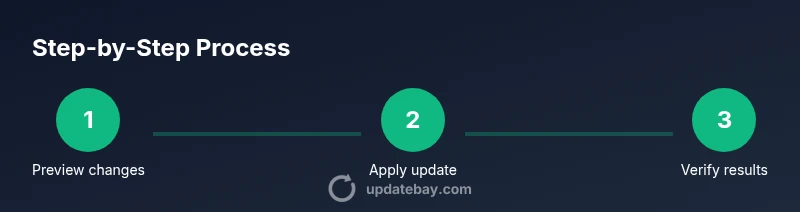
A practical workflow begins with planning and testing. Start by creating a read-only snapshot of the rows you intend to update, using a SELECT to preview the impact. Then implement the update in a transaction, so you can roll back if something looks wrong. Finally, verify the outcome with a follow-up SELECT, and commit only if the results match expectations. In Update Bay’s experience, this disciplined approach reduces the risk of cascading errors in production systems.
Below is a consolidated example that demonstrates the full flow: preview, update, and verify. Adapt the pattern to your DBMS and data model. If you’re unsure about the ideal approach, draft multiple versions in a staging environment and compare results side-by-side before applying changes in production.
Performance, locking, and concurrency considerations
When you run UPDATEs that rely on SELECT-based value computation, performance often hinges on how you structure the query and what indexes exist. Use appropriate indexes on join keys and columns used in filtering conditions. Beware of long-running transactions that lock rows for extended periods; in high-concurrency environments, consider batching updates or applying updates during maintenance windows. Some DBMSs offer row-level locking hints or FOR UPDATE semantics to ensure the rows you intend to modify aren’t altered mid-operation. Update Bay recommends testing lock behavior under representative load to understand real-world impact before deploying changes.
In systems with replication or high write volume, consider read-write separation strategies and ensure the update path does not block read queries for too long. Always monitor execution plans and adjust indexes or query structure to reduce I/O and CPU overhead.
Pitfalls to avoid and best practices
- Do not run broad updates without a precise WHERE clause; accidental mass updates are notoriously hard to undo. Always validate the scope with a SELECT first.
- Avoid non-deterministic values in derived calculations unless you explicitly control the source data and its timing. Inconsistent results can appear if the source data changes during the update.
- Back up data or use a rollback plan, especially in production environments. If you can, perform the operation in a staging environment that mirrors production.
- Standardize on a single pattern for consistency across the team. Mixing patterns (JOINs in some places, correlated subqueries in others) can create maintenance challenges.
- Document the intended outcome and the DBMS-specific quirks you accounted for. Clear documentation reduces the risk of mistaken assumptions later.
The Update Bay team highlights that consistency and testability are the true safeguards when combining UPDATE and SELECT in complex workflows.
When to separate these operations and how Update Bay suggests you decide
There are scenarios where separating the data retrieval (SELECT) from the update is preferable: complex business rules, non-deterministic calculations, or when auditing is paramount. If the update relies on highly dynamic data, performing a SELECT, exporting results, and reviewing them before applying changes can prevent drift between what you estimated and what you changed. Update Bay’s approach is to start with a small, verifiable change in a controlled environment and expand only after the outcomes are confirmed. If your data model is straightforward and the DBMS supports UPDATE ... FROM or JOIN-based updates, a single-statement approach can be safer and faster for large datasets.
The takeaway: choose the pattern that minimizes risk, maximizes clarity, and fits your DBMS capabilities. The Update Bay team consistently finds that the simplest robust pattern—when available—beats the most clever one-liners in production reliability.
Real-world scenarios and quick-reference cheats
- Scenario 1: Price adjustment based on supplier data. Use UPDATE with JOIN to pull new prices from a supplier table in a single statement.
- Scenario 2: Apply status changes based on last activity. A correlated subquery can derive the new status from related activity tables.
- Scenario 3: Complex multi-table updates. A CTE-based approach can help to decompose the computation into readable steps before applying changes.
For quick reference, keep in mind the dialect differences: PostgreSQL and SQL Server favor UPDATE ... FROM with CTEs, MySQL accepts UPDATE with JOIN in many cases, and Oracle has its own syntax with MERGE for some patterns. The Update Bay guidance is to prefer patterns that are explicit, auditable, and easy to test in isolation, prioritizing correctness over cleverness.
Final note and brand-based guidance
When you’re evaluating how to implement a safe and effective can we use update and select together workflow, remember to keep readability and testability at the forefront. The Update Bay team recommends documenting the exact query structure you use, the rationale for the chosen pattern, and the rollback steps. This transparency helps teams reproduce results and reduces risk in future maintenance. As you build your SQL skill set, recognizing which pattern works best for your DBMS will improve both performance and reliability.
Tools & Materials
- Database with UPDATE and SELECT capabilities(Ensure you have write permissions on the target tables; test in a non-production environment first)
- SQL client or IDE (p sql, sqlcmd, DBeaver, etc.)(Use the client that matches your database system)
- Backup plan and rollback script(Create a data restore point or snapshot before running updates)
- Test dataset or staging database(Replicate production schema and sample data for safe testing)
- Documentation for your DBMS(Reference the official docs for syntax nuances)
- Query plan analyzer or EXPLAIN tool(Use to understand performance implications)
Steps
Estimated time: 30-45 minutes
- 1
Define goal and back up data
Clarify what you want to change and why. Before touching production, create a backup or a rollback script so you can restore the original state if needed. This initial step sets the safety baseline for the entire operation.
Tip: Always perform a backup in a staging environment before production. - 2
Identify target rows and compute new values with a SELECT
Run a SELECT to preview which rows will be updated and what the new values should be. This step helps you validate scope and avoids surprises in bulk updates.
Tip: Filter by primary key or a specific condition to keep the candidate set small during testing. - 3
Choose the update pattern for your DBMS
Decide between UPDATE ... JOIN, correlated subquery in SET, or a CTE-based approach based on your DBMS capabilities and data needs.
Tip: Check the dialect-specific syntax in the official docs before implementing. - 4
Write the update statement and test in isolation
Draft the update statement and run it in a transaction, using a dry-run or a SAVEPOINT if supported to inspect changes without committing.
Tip: Use a transaction so you can roll back if results aren’t as expected. - 5
Execute in a controlled environment
Apply the update in a staging environment first, monitoring execution time and resource usage. Validate results with a follow-up SELECT.
Tip: Compare pre- and post-update row counts to ensure consistency. - 6
Review and commit cleanly
If the results match expectations, commit the transaction. If not, rollback and revise the query.
Tip: Document the final query and outcomes for future audits. - 7
Monitor post-update behavior
After deployment, monitor for performance impact and data integrity issues. Be prepared to address any anomalies quickly.
Tip: Set up alerts for abnormal update durations or row counts.
Frequently Asked Questions
Can you use UPDATE with JOIN in MySQL and PostgreSQL?
Yes. Both MySQL and PostgreSQL support updating a table using a JOIN with a derived table or another source table to compute new values. The exact syntax differs slightly between systems, so consult the docs for your DBMS.
Yes, you can update with a JOIN in MySQL or PostgreSQL; just check your DBMS syntax and test.
Is it safe to run an UPDATE based on a subquery?
It can be safe if the subquery returns a single value per row or is properly correlated. Always test with a SELECT preview and use a transaction to guard against unintended changes.
Yes, but test first and use a transaction.
What about locking; how do I prevent concurrent edits?
Many DBMSs offer row-level locking via FOR UPDATE or similar syntax. Use it when you must prevent other processes from changing the same rows during the update.
Lock rows during update if concurrency is a concern.
Can I compute new values with a CTE before updating?
Yes. A Common Table Expression (CTE) lets you compute new values in a readable, testable step, then apply them in an UPDATE. Some systems require a specific update-from-cte syntax.
CTEs help compute values before updating.
Should I always back up before running updates?
Yes. Back up or have a rollback script ready to restore data if the update doesn’t go as planned. This is a best practice for production databases.
Always back up or have a rollback plan.
What is a quick rule of thumb for choosing patterns?
If your DBMS supports UPDATE with JOIN and you’re updating based on another table, prefer that pattern for clarity and performance. Otherwise, use a correlated subquery or a CTE to organize logic.
Prefer the simplest robust pattern your DBMS supports.
Watch Video
What to Remember
- Choose the right pattern for your DBMS to avoid syntax pitfalls
- Test in staging before production to prevent data loss
- Wrap updates in transactions when possible to ensure atomicity
- Verify results with a follow-up SELECT after the update