How to Fix Update Requested: A Practical Step-by-Step Guide
Learn a practical, repeatable approach to resolving an 'update requested' situation. This guide covers scoping, testing, implementation, validation, and documentation to minimize downtime and risk.


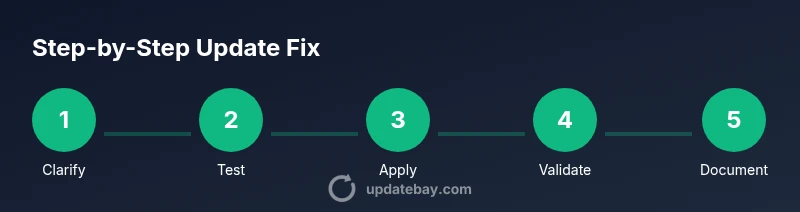
This guide shows you how to fix an update requested by following a structured, repeatable workflow: clarify scope, verify prerequisites, test in a safe environment, apply the update, validate results, and document the outcome. You’ll need admin access, a rollback plan, and clear communication with stakeholders. Use the steps to minimize downtime and ensure a reliable, auditable fix.
Understanding Update Requests
Update requests arise when someone asks you to apply a patch, upgrade firmware, adjust configuration, or enforce a policy change. They can be explicit (install patch X version) or implicit (enable a security setting). Ignoring these requests may leave systems vulnerable, cause compatibility issues, or lead to unplanned downtime. According to Update Bay, the most effective handling starts with a clear definition of scope, a documented rollback, and measurable validation criteria. In practice, you’ll want to distinguish between urgent hotfixes and routine maintenance, identify affected assets, and set realistic success criteria. This section helps you frame the problem so you can map it to concrete, testable changes rather than open-ended tasks. Remember: a well-scoped update is half the fix.
Key ideas to keep in mind include the difference between software, firmware, and policy updates, how to interpret patch-notes, and the importance of aligning with change-management policies. With that foundation, you can move confidently through the hands-on steps that follow.
Prerequisites and Scoping
Before you touch any system, gather the essentials: confirm you have administrative access, ensure you can back up affected data, and establish a safe testing environment. Create an asset inventory that lists devices, OS versions, installed software, and network segments that will be touched by the update. Collect the latest patch notes and change-control documentation to ensure you’re complying with internal policies. Establish success criteria—what does “fixed” look like? Define rollback triggers and contingency plans in case the updateintroduces issues. From Update Bay’s perspective, a well-prepared start minimizes last-minute surprises and makes post-implementation audits smoother. In this phase, you’re converting a vague request into a precise, auditable plan with defined owners and timelines.
Document all prerequisites and scoping decisions so stakeholders can follow the rationale if questions arise later.
Identify the Type of Update Requested
Clarify exactly what kind of update is being requested. Is it a software patch, a firmware upgrade, a security policy change, or a configuration drift correction? Each type has different dependencies, compatibility checks, and rollback considerations. Review the request against the current baseline to see whether the desired outcome is already partially met or entirely new. If the request references a version number or a policy, verify the source of that requirement. In many environments, the same symptom (e.g., frequent crashes) could be addressed by multiple types of updates, so a precise identification prevents wasted effort. For broader context, consult official release notes and vendor advisories to ensure you’re pursuing the correct remediation.
Having a clear understanding of the update type speeds up downstream testing and reduces risk of inappropriate changes.
Create a Safe Test Plan
A safe test plan isolates risk and gives you confidence before touching production. Set up a dedicated test environment that mirrors production in key aspects (OS, software stack, network configuration). Establish a baseline by documenting current performance, error rates, and security postures. Define test cases that cover core functionality, integration points, and user workflows most affected by the update. Schedule time blocks that reflect realistic deployment windows, and specify acceptance criteria for each test. Include a rollback script or procedure in case validation reveals issues. Update Bay emphasizes that a well-designed test plan is the safest way to validate changes without impacting real users. The goal is to prove that the update resolves the issue without introducing new risks.
Record test results meticulously so you can reproduce the outcome later if needed.
Gather Evidence and Clarify Requirements
Collect logs, error messages, and performance metrics related to the update request. Document the exact user needs or business outcomes the update is intended to achieve. If the request lacks detail, reach out for clarifications: what symptoms are observed, what success looks like, and what constraints exist (downtime windows, regulatory requirements, or compatibility constraints). Use checklists to ensure you capture dependencies, potential conflicts, and impact across teams. Align evidence with the acceptance criteria you defined earlier. In many cases, clear communication reduces scope creep and speeds up resolution by ensuring everyone agrees on the problem statement and the fix goal.
A solid evidence dossier makes review meetings efficient and supports post-project audits.
Implement the Update in a Controlled Way
With a validated plan, begin the update in the test environment first. If the environment mirrors production accurately, your confidence increases. Apply the patch, upgrade the firmware, or adjust configurations exactly as documented in the release notes. Monitor logs in real time for anomalies and verify that critical services stay online. Have your rollback plan ready in case something goes wrong, and ensure you can revert quickly without data loss. When working in production, stagger deployment to limited segments if possible to minimize risk. This step is the moment of truth: successful execution in a controlled setting confirms your path forward while symptoms subside.
Document every action you take and timestamp changes to support traceability.
Validate the Update and Monitor
Validation is not a single check but a series of verifications: functional tests, security checks, performance baselines, and user acceptance. Re-run the core test cases from your plan, measure outcomes against your acceptance criteria, and compare to the baseline. Look for unexpected side effects, such as performance regressions or compatibility issues with plugins or integrations. Maintain a monitoring window after production deployment to catch transient problems quickly. If validation fails, switch to the rollback path, notify stakeholders, and reassess the approach. Update Bay’s guidance here is to treat validation as a continuous process, not a one-off milestone. The clearer your validation signal, the faster you can confirm success or pivot when needed.
Communicate and Document the Outcome
Communication closes the loop on an update request. Share what was changed, why, and how validation was performed, including any approved deviations from the original plan. Provide a concise impact assessment: downtime, performance changes, and affected users. Update documentation, changelogs, and ticket notes to reflect the resolution, along with the rollback plan and post-deployment monitoring results. If the request originated externally, send a clear summary to the requester with links to the evidence gathered and the final status. Transparent communication reduces follow-up questions and builds confidence in your change-management process.
Finally, archive the process so others can reuse the successful approach for future requests.
Authority Sources
- NIST Patch Management Best Practices: https://www.nist.gov/topics/patch-management
- CISA Cybersecurity Resource: https://us-cert.cisa.gov/ics/controls
- Microsoft Security Update Guide: https://docs.microsoft.com/en-us/security-updates
Tools & Materials
- Administrative access (admin/root permissions)(Needed to install, modify, or revert updates.)
- Backup and rollback plan(Ensure you can recover data to pre-update state.)
- Testing environment (VM or isolated network)(Avoids production risk during validation.)
- Update package, patch notes, and vendor advisories(Reference exact version numbers and prerequisites.)
- Change-control and communication templates(For documenting approvals and notifications.)
- Monitoring dashboards and log access(Helpful for post-deployment validation.)
Steps
Estimated time: 2-3 hours
- 1
Review the update request
Read the request carefully, confirm the exact scope, and identify affected assets. Note any deadlines or constraints and clarify ambiguous details with the requester.
Tip: Ask for version numbers, environment, and acceptance criteria to avoid scope creep. - 2
Prepare the test environment and backups
Set up a mirror of production in a sandbox or VM, verify that backups exist, and confirm you can restore to the prior state if needed.
Tip: Run a quick restore drill to prove rollback viability before applying changes. - 3
Retrieve and verify the update package
Download the exact update package, verify checksums, and read release notes to understand prerequisites and risks.
Tip: Cross-check dependencies to prevent post-update failures. - 4
Schedule and communicate the window
Choose a maintenance window, notify stakeholders, and update the change-control ticket with planned times.
Tip: Limit user impact by grouping updates and ensuring rollback guidance is visible. - 5
Apply the update in the test environment
Execute the update per vendor instructions in the isolated environment and monitor for anomalies.
Tip: Document every command and change for audit trails. - 6
Validate results and compare to baseline
Run predefined test cases, observe performance, and confirm that the issue is resolved without new problems.
Tip: Keep a side-by-side comparison against the baseline to spot regressions. - 7
Plan and perform production rollout (if tests pass)
Proceed with staged deployment if feasible; monitor closely and be ready to rollback if issues arise.
Tip: Use feature flags or phased rollout to reduce risk. - 8
Finalize documentation and close the ticket
Record what changed, validation results, and any follow-up actions. Update knowledge base or runbooks.
Tip: Include a concise post-implementation summary for future audits.
Frequently Asked Questions
What does an 'update requested' mean in a professional environment?
It means a stakeholder asks you to apply a patch, upgrade, or policy change. The goal is to implement the change safely and verifiably, with clear acceptance criteria and a rollback plan.
An update requested means someone asked you to apply a change; you should implement it safely with checks and a rollback plan.
How long does a typical update repair take?
Time varies by scope and environment, but a well-scoped, tested update often fits a maintenance window of a few hours. Plan for 2-3 hours including validation.
Most updates take a few hours, depending on scope, with time set aside for testing and validation.
What if the update fails after deployment?
If failures occur, initiate the rollback plan immediately, assess impact, communicate with stakeholders, and re-evaluate the remediation approach with updated tests.
If it fails, revert to the previous state quickly and reassess before trying again.
Do I need approval to run an update in production?
Yes. Use change-control processes to obtain approvals, log risks, and ensure rollback measures are in place before proceeding.
Yes, get the necessary approvals before making production changes.
Can I skip testing if the update is small?
Even small updates can have unintended interactions. Always test in a safe environment and verify critical functions post-update.
Even small updates deserve testing to catch hidden issues.
Where should I document the final outcome?
Document in the change ticket, update notes, and your team's knowledge base to aid audits and future changes.
Record what changed, why, and how it was validated for the record.
Watch Video
What to Remember
- Clarify scope and success criteria early
- Test in a safe environment before production
- Document the change and rollback steps
- Validate with measurable results
- Communicate outcomes transparently