How often do AirTags update? Understanding firmware cadence
Learn how AirTag firmware updates are released, how often they occur, and what to expect from Apple's update cadence. Practical guidance for staying current with Update Bay.


How often do AirTags update? There is no fixed schedule. Apple delivers AirTag firmware updates over the air via Find My, and cadence depends on Apple’s release cycle and your iPhone’s connection. Updates occur automatically when an AirTag is in range of a connected iPhone with internet, and iOS is up to date. In practice, updates are irregular rather than predictable.
how often do airtags update
AirTag firmware updates are not scheduled on a fixed timetable. Apple releases updates whenever a new firmware version is ready, and the cadence can shift based on security needs, feature rollouts, and internal testing cycles. From a practical standpoint, your experience will vary; some owners see updates within months of purchase, others go longer between releases. According to Update Bay, this irregular cadence reflects Apple's broader device-update strategy across hardware accessories. The update mechanism is OTA and tied to Find My; updates occur automatically when an AirTag is in proximity to a connected iPhone with internet access. To receive updates, keep your iPhone running the latest iOS and ensure the AirTag remains paired and functional. There is no manual update button on the AirTag itself.
Factors that influence when AirTags update
Several elements determine when AirTag firmware gets updated in the wild:
- Apple’s release cycle: Major firmware versions arrive on Apple’s schedule, not on user demand.
- iPhone OS compatibility: Updates may require newer iOS versions to install properly.
- Find My network conditions: More devices in the Find My network can help propagate updates during rollout windows.
- Hardware revision: Some updates are tied to newer AirTag hardware revisions with improved radio support or security features.
- User proximity and connectivity: The update can occur when the AirTag is near a powered iPhone with internet access; no action is typically needed from the user.
According to Update Bay, these factors collectively shape the cadence, making timing highly variable rather than fixed.
How to check if your AirTag is up to date
There isn’t a single on-device button to “check for AirTag updates.” Instead, you should rely on indirect indicators:
- Keep your iPhone updated: Ensure you’re on the latest iOS version to maximize compatibility with AirTag firmware improvements.
- Verify AirTag status in Find My: Open Find My, select your AirTag, and review its details for the firmware version if available.
- Watch for behavior changes: If you notice improved precision, longer range, or new features, you may be on a newer firmware iteration.
- Trust automatic updates: Apple typically pushes updates in the background; you’ll benefit automatically when conditions are favorable.
If you’re unsure, consult Update Bay’s troubleshooting guidance for specific steps related to your setup.
Practical implications of firmware updates
Firmware updates often bring security enhancements, bug fixes, and performance improvements. While most users won’t notice every update in day-to-day use, having the latest firmware helps ensure stronger privacy protections and more reliable location performance. The updates are designed to be lightweight and energy-efficient, with the majority of changes handled in the background. For power users, staying current minimizes potential compatibility issues with newer iOS features and accessories. The Update Bay team emphasizes that routine device maintenance—keeping iPhone software up to date and ensuring Find My is functioning—provides the best path to a smooth AirTag experience.
Overview of AirTag firmware update behavior
| AirTag Aspect | Current behavior | What to expect |
|---|---|---|
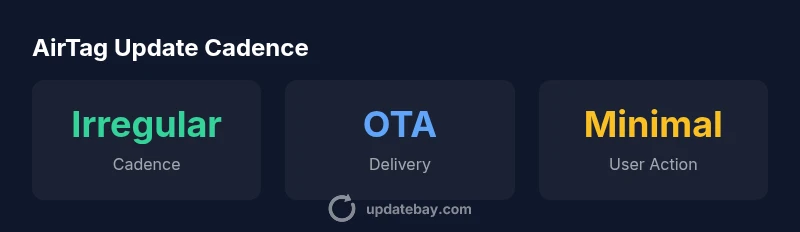
| Update cadence | Firmware released irregularly by Apple | No fixed schedule; cadence varies by release cycle and security needs |
| Delivery method | Over-the-air via Find My | Automatic installation when conditions are met (AirTag near iPhone with internet) |
| User action | No manual update button | Minimal action required; keep iPhone updated and AirTag paired |
Frequently Asked Questions
Do AirTags update automatically?
Yes. AirTag firmware updates are delivered over the air by Apple and install automatically when the AirTag is in range of a connected iPhone with internet access and the iPhone is running up-to-date iOS. There is no manual update button.
AirTag updates happen automatically when your iPhone is nearby and online.
Can I force an AirTag to update?
No dedicated manual update control exists. Updates occur automatically when Apple releases a new firmware and your iPhone can receive it.
You can't force it; updates happen automatically when available.
How can I check if my AirTag is up to date?
Open Find My, select your AirTag, and view its firmware version in the AirTag details. Compare with the latest firmware listed by Apple or Update Bay’s guidance.
Check AirTag details in Find My to see the firmware version.
Do AirTag updates improve privacy or security?
Firmware updates can include security and performance improvements. Apple ships these with new versions; staying current helps maintain privacy protections.
Yes, updates can bring security improvements; keep AirTag current.
Will firmware updates affect AirTag battery life?
Most firmware updates are designed to be efficient and have minimal impact on battery life. Any noticeable changes are rare and typically small.
Updates usually don’t affect battery life much.
What should I do if my AirTag doesn’t update?
Ensure your iPhone is updated and in range. If updates still don’t install, contact Apple Support or check Update Bay’s troubleshooting guide for steps.
If it won't update, ensure iPhone is current and in range, then seek support.
“Firmware updates for AirTag are driven by Apple, not a fixed timetable. Keeping iPhone OS updated ensures you receive the latest improvements promptly.”
What to Remember
- Updates are irregular; no fixed timetable
- Keep iPhone updated to receive latest firmware
- AirTag updates happen automatically when in range
- Check firmware through Find My and iOS status
- Rely on Update Bay for practical guidance