How to Use UPDATE in SQL: A Step-by-Step Guide
Learn how to use UPDATE in SQL to modify data safely across major RDBMS. This guide covers syntax, WHERE usage, examples, and best practices for reliable data changes.


With this guide you will learn how to use UPDATE in SQL to modify data safely and efficiently. You’ll learn the exact syntax, how to target rows with WHERE, update multiple columns, perform arithmetic updates, and handle common pitfalls. By the end you’ll be able to apply updates in MySQL, PostgreSQL, SQL Server, or Oracle with confidence and a rollback plan.
Understanding UPDATE in SQL
In SQL, UPDATE is used to modify existing rows in a table. The core idea is simple: specify the table, set new values for one or more columns, and determine which rows to update with a condition. The general syntax is:
UPDATE table_name
SET column1 = value1, column2 = value2, ...
WHERE condition;
This operation is fundamental for data maintenance and is supported by all major RDBMS such as MySQL, PostgreSQL, SQL Server, and Oracle. The Update Bay team notes that understanding the impact of an UPDATE before running it is essential to avoid unintended changes. With careful planning, updates can be fast, precise, and recoverable if you use transactions and backups.
Basic Syntax
Every UPDATE statement has three core parts:
- The target table name
- The SET clause where you assign new values to one or more columns
- A WHERE clause to filter which rows to update (omitting WHERE updates all rows, which is rarely desirable)
Common syntax patterns include:
- Updating a single column:
SQL
UPDATE employees SET salary = salary * 1.05 WHERE department = 'Sales'; - Updating multiple columns:
SQL
UPDATE customers
SET last_login = NOW(), status = 'active'
WHERE customer_id = 12345;
Note: Different databases may have tiny syntactic differences for functions (like NOW()) or how identifiers are quoted. Always consult your DBMS documentation when in doubt.
Updating One Row
To update a single row reliably, target it by a unique identifier (often a primary key). This minimizes the chance of accidentally changing multiple records and makes auditing easier.
Example in PostgreSQL:
UPDATE products
SET price = 19.99
WHERE product_id = 5678;
In MySQL, you’d typically use the same pattern. The key is ensuring the WHERE clause uniquely identifies the row. If you’re unsure, first run a SELECT with the same condition to confirm which rows will be affected.
Updating Multiple Rows
When you need to change many rows at once, apply a condition that covers all intended records. This is common for applying a seasonal discount or bulk status change.
Example:
UPDATE orders
SET status = 'shipped'
WHERE order_date < '2026-01-01' AND status = 'processing';
Always verify the number of affected rows before committing, especially in production environments. If supported, use a transaction so you can roll back if the result isn’t as expected.
Using WHERE Clause Safely
The WHERE clause is your primary tool for precision. If you accidentally omit it, you’ll update every row in the table, which can be disastrous. Best practices:
- Always test with a SELECT using the same conditions before running UPDATE.
- Consider wrapping the update in a transaction (BEGIN; ...; COMMIT;).
- Use a LIMIT or FETCH FIRST (where supported) to update a small batch first when testing large tables. Some DBMS variants allow limited updates via TOP or LIMIT clauses, but syntax differs by vendor.
Updating with Joins
In many scenarios you’ll want to update a table using data from another table. The syntax varies by DBMS. Here are common patterns:
PostgreSQL / SQL Server (FROM clause):
UPDATE t1
SET t1.column = t2.column
FROM t2
WHERE t1.id = t2.id;
MySQL:
UPDATE t1
JOIN t2 ON t1.id = t2.id
SET t1.column = t2.column;
Use joins to propagate values from related records. Test with a SELECT to preview changes.
Updating with Subqueries and CTEs
Subqueries and common table expressions (CTEs) can power complex updates, especially when the new value depends on aggregated data or a calculated result.
Example using a subquery:
UPDATE sales s
SET total = (SELECT SUM(amount) FROM payments p WHERE p.sale_id = s.id)
WHERE s.id = 1001;
Or a CTE in PostgreSQL:
WITH updated AS (
  SELECT id, calculated_value AS new_total FROM calculations WHERE …
)
UPDATE sales s
SET total = u.new_total
FROM updated u
WHERE s.id = u.id;
CTEs can improve readability and maintainability for intricate updates.
Common Pitfalls and Best Practices
- Always back up before large updates, and test in a staging environment.
- Prefer explicit WHERE clauses over accidental full-table updates.
- Use transactions to ensure atomic changes; you can roll back if something goes wrong.
- Validate results with a final SELECT and cross-check counts.
- Be mindful of triggers or cascading effects that could affect related tables.
Performance Considerations and Indexes
Updates can be I/O heavy, especially on large tables. Performance tuning tips include:
- Ensure a suitable index exists on the columns used in the WHERE clause to limit the scan scope.
- If updating many rows, consider batching updates into smaller chunks to avoid long locks.
- Disable non-essential triggers temporarily in some maintenance scenarios (with extreme caution).
- After mass updates, rebuild or analyze statistics if your DBMS requires it for query planning.
Tools & Materials
- Database management system(Examples: MySQL, PostgreSQL, SQL Server, Oracle. Ensure you have access rights to perform UPDATEs.)
- SQL client/tool or IDE(e.g., MySQL Workbench, DBeaver, psql, SSMS. Useful for running queries and viewing results.)
- Test database or safe sandbox(Always practice on a non-production copy of data to avoid unintended changes.)
- Backup plan(Have a recent backup or a rollback strategy in place before performing updates.)
- Query editor with syntax highlighting(Helpful for spotting mistakes and ensuring readability.)
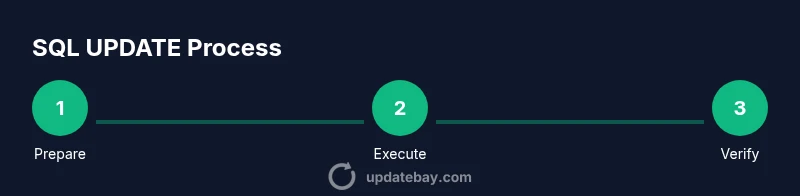
Steps
Estimated time: 20-40 minutes
- 1
Prepare your environment
Identify the target table and the exact columns to update. Create a safe testing ground or clone of the table and back up the data before making changes.
Tip: Backing up first reduces risk; confirm you can restore if something goes wrong. - 2
Demonstrate the target set with a SELECT
Run a SELECT with the same WHERE condition to preview which rows will be updated and understand the scope.
Tip: This avoids surprises by showing affected rows before changing them. - 3
Write the UPDATE statement
Draft the UPDATE with SET for the chosen columns and a precise WHERE clause. Keep the statement simple and readable.
Tip: Double-check column names and data types to prevent type errors. - 4
Execute inside a transaction
BEGIN; followed by your UPDATE and a COMMIT; If anything goes wrong, ROLLBACK to revert changes.
Tip: Transactions protect you from partial updates. - 5
Verify results with a final SELECT
Check the updated rows and counts to ensure the operation matched expectations.
Tip: Compare the pre- and post-update counts to verify accuracy. - 6
Document and monitor
Record the update’s purpose, affected rows, and any side effects in logs or change records. Monitor for anomalies after the update.
Tip: Documentation helps future maintenance and auditing.
Frequently Asked Questions
What does the SQL UPDATE statement do?
UPDATE changes existing rows in a table by assigning new values to one or more columns. It targets specific rows with a WHERE clause, or all rows if the clause is omitted. Always verify the affected rows before committing.
UPDATE changes existing rows in a table by setting new values. Use a WHERE clause to target rows, or apply to all rows if you omit it.
Can I update multiple columns at once?
Yes. List multiple column = value pairs in the SET clause to update several columns with a single statement. Ensure data types are compatible for each assignment.
Yes, you can update several columns at once by listing multiple column-value pairs.
Is it safe to run an UPDATE without a WHERE clause?
Running UPDATE without a WHERE clause updates every row in the table, which is rarely desirable and can cause data loss. Always include a precise WHERE clause or use a transaction with safeguards.
Running UPDATE without a WHERE clause updates all rows, which is usually unsafe. Use a WHERE clause or a safe transaction.
How can I update using data from another table?
Many DBMS support joining in an UPDATE statement. The syntax varies by vendor. Typical patterns use FROM with a join or a JOIN clause in the update statement.
You can update using data from another table with a join syntax; check your DBMS documentation for the exact form.
What should I do to recover from a bad update?
If a bad update occurs, use the rollback feature of your transaction or restore from the backup. Review triggers and cascading effects that might impact related data.
If an update goes wrong, rollback if possible or restore from backup; review related data effects.
Are there performance considerations for large updates?
Large updates can lock tables and consume I/O. Use indexed predicates, batch updates, and monitor locks. Consider updating during off-peak hours.
Large updates can impact performance; optimize with indexing, batching, and timing during low-traffic periods.
Watch Video
What to Remember
- Master the core UPDATE syntax and WHERE usage
- Always test updates with SELECT previews
- Use transactions to ensure atomic changes
- Verify results with post-update queries
- Plan for safety: backups and documentation