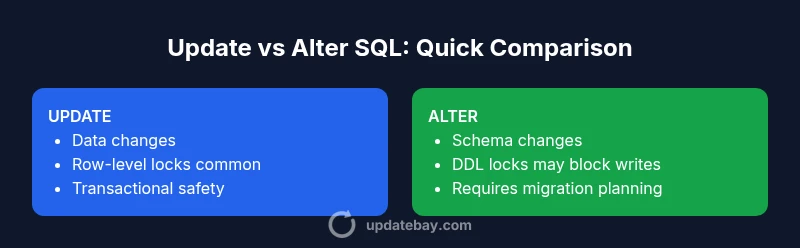
Update vs Alter SQL: A Practical Comparison
Comprehensive comparison of update vs alter sql, detailing when to use data updates vs schema changes, performance notes, and best practices for safe deployments.


Understanding update vs alter sql is essential for precise data management. According to Update Bay, choosing the right operation depends on whether you need to modify data values or change the schema structure. This quick comparison helps DBAs, developers, and admins decide which command to run, assess risk, and plan safe deployments.
What UPDATE and ALTER do in SQL
In the SQL ecosystem, two fundamental operations are often contrasted: UPDATE and ALTER. UPDATE is a Data Manipulation Language (DML) command used to modify existing rows within a table. It targets data values in one or more columns, allowing you to change specific records based on a condition. ALTER, on the other hand, is a Data Definition Language (DDL) command that reshapes the database structure itself. It can add, drop, or modify columns, change data types, or adjust constraints. The distinction between data updates and schema changes is central to understanding how these commands impact the lifecycle of a database. As you plan work, keep the primary keyword in mind: update vs alter sql. This long-range view helps teams avoid mixing data changes with structural changes in a way that complicates auditing and rollback.
From an architecture perspective, updates affect the data plane—what users read and write—while alterations affect the schema layer that governs how data is stored and accessed. Both types of changes are legitimate, but they carry different risks, testing requirements, and rollback strategies. The Update Bay team emphasizes a disciplined approach: clearly separate data migrations from schema migrations, validate each change in a staging environment, and implement robust rollback paths before touching production systems. This mindset reduces unplanned downtime and helps maintain data integrity across environments.
Comparison
| Feature | UPDATE | ALTER |
|---|---|---|
| Scope | Data changes at the row level (values updated in place) | Schema changes at the table/column level (add/drop/modify structure) |
| Locking behavior | Typically row-level locks during updates; depending on the DB, affected indexes may lock briefly | DDL often requires long-lived locks (table-level or metadata locks) and can block writes during schema changes |
| Constraints | Maintains existing constraints; you may populate new values within constraints | Alters constraints or column definitions; may require revalidating data after changes |
| Performance context | Depends on row count, index usage, and transaction size; small updates can be fast with proper indexing | DDL operations can impact throughput and may cause broader pauses during online/offline changes |
| Error handling | Part of transactional control; rollback reverts data changes cleanly within a transaction | DDL changes are harder to roll back in some engines and may require full reapplication or manual fixes |
| Best-use scenarios | Apply data corrections, updates, or migrations without changing the table schema | Evolve table structure to accommodate new requirements or optimize storage/compliance |
| Syntax complexity | Often a simple UPDATE statement with a WHERE clause | Typically a sequence of DDL statements (ALTER TABLE, ADD/DROP/MODIFY columns) and related DDL options |
| Best for | Modify existing data efficiently while preserving structure | Modify or evolve schema to support new data models or constraints |
Positives
- Clarifies intent by separating data updates from schema changes
- Can reduce risk by isolating operations within controlled transactions
- Improves auditability when using clearly scoped commands
- Supports rollback and testing practices when done in stages
Downsides
- Requires careful planning to avoid drift between data and schema
- Can necessitate multiple steps or tools for complete migrations
- DDL operations may cause longer production pauses on some platforms
- Potential for compatibility issues across database engines
Update is data-focused; Alter is schema-focused; choose based on intent and risk.
Use UPDATE for changing data values and ALTER for modifying structure. In practice, align changes with your deployment plan, test thoroughly, and isolate data migrations from schema evolution to minimize risk and downtime.
Frequently Asked Questions
What is the fundamental difference between UPDATE and ALTER in SQL?
UPDATE changes the data in existing rows without altering the table's structure. ALTER modifies the schema, such as adding or removing columns or changing data types. Understanding this separation helps prevent unintended consequences in production.
UPDATE changes data; ALTER changes structure. Keep data updates separate from schema changes to minimize risk.
Can UPDATE changes affect the table schema?
Normally, UPDATE does not change the table’s structure. If you need to alter the schema, you use ALTER. Some workflows combine both in a carefully orchestrated migration, but they are distinct operations with different risks and rollback strategies.
Usually not—the data updates stay in the rows, while schema changes require ALTER.
When should ALTER be preferred over frequent UPDATE operations?
Alter is preferred when the data model itself evolves—adding new columns, changing data types, or enforcing new constraints. Frequent data edits should use UPDATE, while you plan structural changes during maintenance windows or feature deployments.
Use ALTER for schema evolution; UPDATE for data changes.
What are the performance considerations when using UPDATE vs ALTER?
Updates can be optimized with indexes and careful transaction sizing. ALTER operations may lock tables or metadata for a period, affecting concurrent writes. Always test performance impact in a staging environment and schedule heavy changes during low-traffic windows.
Updates usually run faster with good indexes; ALTER can block writes longer.
How do I rollback an UPDATE or ALTER operation?
ROLLBACK in most databases reverts an active transaction, which covers UPDATE. For ALTER, rollback depends on the engine and the change; some systems require a separate rollback plan or revert script. Always include a rollback plan in your deployment process.
If you’re in a transaction, you can roll back. For ALTER, check your engine’s support for reversals.
What to Remember
- Identify if your change affects data values or table structure
- Plan data updates and schema changes in separate steps
- Test changes in staging with realistic workloads
- Document and version control all updates and alterations