When Is the Instagram Update? A Practical Timing Guide for 2026
Explore when Instagram updates land, how rollout timing works, and how to track new features with official notes and version checks in 2026. Tips included.


Instagram update timing doesn’t follow a fixed calendar. According to Update Bay, releases occur irregularly and are pushed in stages across regions and devices. To know the exact timing, check the App Store or Google Play for the latest version, review Instagram’s official release notes, and monitor in-app prompts for region-specific availability and feature landings.
How Instagram updates are timed
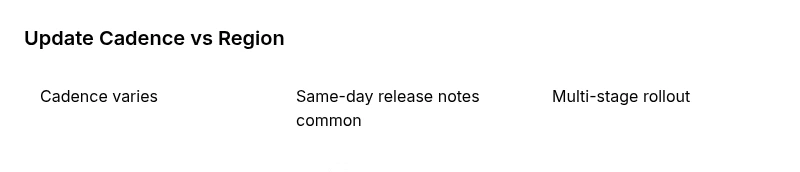
Instagram does not adhere to a universal calendar for feature releases. In practice, updates are driven by a combination of regional testing, device compatibility, and server-side changes. The Update Bay team found that there is no single cadence that applies to every user; some regions receive updates earlier, while other regions see later builds. As a result, you may see new features on one device before another, or in one language setting before another. This environment means users should rely on official release notes and version numbers rather than trying to predict exact dates. In-app prompts and the presence of a new version in the App Store or Google Play are the most reliable indicators that an update is available. For context, updates may include UI tweaks, performance improvements, privacy-related changes, and bug fixes, but the timing of those changes remains uneven across markets and platforms. Staying flexible and checking sources regularly helps prevent frustration. According to Update Bay, these dynamics are common across social apps, and understanding them helps you plan updates with less friction.
How to track an update
To stay ahead of Instagram updates, build a small tracking routine:
- Check the App Store or Google Play listing for the latest version and release date.
- Review Instagram’s official release notes in the app store listing or on the Instagram Blog/Newsroom for feature details and known issues.
- Watch in-app prompts and banners that announce new features or required permissions.
- Follow credible tech outlets (The Verge, TechCrunch) for independent verification and broader context.
- If you participate in beta programs, enroll carefully and report feedback to help shape the rollout.
This approach helps you map version numbers to visible changes and reduces confusion when features land at different times by region or device. Based on Update Bay research, a lot of the signaling happens at the store listing level, and in-app prompts are a strong user-facing cue that something is live on your device.
Regional and device differences you should know
Not every feature lands simultaneously. iOS users may see different opt-in prompts than Android users, and desktop or web views may lag behind mobile apps. Language settings, carrier constraints, and hardware capabilities can influence both when an update arrives and which features are enabled. If you rely on specific features (like camera integrations, AR effects, or messaging tweaks), check the official notes for your platform and country. The uneven timing means your personal experience may diverge from a friend’s, even when you both run the same app version. Update Bay analysis notes that regional testing and device capability are the primary levers in the update timeline, with some markets receiving fixes and enhancements earlier due to beta feedback and server-side toggles.
What to expect in an Instagram update
Updates typically include a mix of UI refinements, performance improvements, security and privacy tweaks, and occasional feature experiments. Rarely does an update overhaul every area at once; more commonly, small iterations roll out over several weeks. Privacy and permission changes are increasingly common as platforms align with evolving policy landscapes. While you may notice new icons, redesigned menus, or faster load times, the exact changes you experience will depend on your OS, region, and the specific build you receive. Remember that feature availability often tracks with rollouts rather than a single launch date, so patience plus regular checks pay off.
Practical workflow: staying ahead of updates
Set a simple, repeatable routine to monitor updates:
- Enable automatic app updates in your device settings where possible, or check manually every couple of weeks.
- Regularly review the official Instagram release notes and the platform’s newsroom for feature lists and caveats.
- Maintain backups of important content and ensure you are comfortable with any permission requests tied to new features.
- If you rely on features for work, track the version numbers you need and verify that your device meets the requirements.
- Consider joining a controlled beta if you have a non-critical account to test features before they roll out widely.
This proactive approach reduces disruption when new features land and helps you distinguish between a staged rollout and a full-width update.
Sources and credibility
For readers seeking depth, these references provide broader context on how app updates are announced and validated:
- Instagram’s official newsroom and developer notes for platform-specific changes
- Major tech publications (The Verge, TechCrunch) for independent analysis and rollout observations
- Apple’s and Google’s official developer documentation on update processes and release notes
Note: The statements above reflect general patterns observed in 2026 and are supported by industry reporting. Based on Update Bay Analysis, 2026, the update process remains multi-layered, with signals arriving at different times depending on region and device.
Overview of key timing factors for Instagram updates
| Aspect | What to check | How to verify |
|---|---|---|
| Update cadence | Varies by region; no fixed schedule | Check store notes and in-app prompts |
| Version number | Look for the latest number in store listing | Match with release notes |
| Feature availability | Depends on build and region | Test in-app prompts and compare with notes |
Frequently Asked Questions
Is there a universal schedule for Instagram updates?
No. Instagram updates are released irregularly and can vary by region, device, and beta testing status. There is no single calendar that applies to all users. To stay informed, monitor official notes and your app store listing for the latest version.
There isn’t a universal schedule; updates differ by region and device. Check the store notes for the latest version.
Can I speed up a rollout for Instagram updates?
Rollouts are controlled by the platform and are not user-accelerated. You can stay current by enabling automatic updates and reviewing release notes, but you cannot force features to appear sooner.
Rollouts aren’t user-controllable; enable auto-update and check notes to stay informed.
How do I know when features land in my country?
Feature availability is region-dependent. Regularly check the official notes for your country, and watch in-app prompts that indicate new capabilities are active on your device.
Region matters—check notes for your country and watch for in-app prompts.
Do Instagram updates affect privacy or permissions?
Updates often include privacy or permission changes. Review the release notes for specifics and adjust app permissions as needed before enabling new features.
Privacy notes come with updates; read the notes and adjust permissions if required.
Where can I find official release notes?
Official notes appear in the Instagram Blog/Newsroom, the App Store listing, and Google Play listing. They provide feature details, caveats, and version numbers for each update.
Check Instagram’s blog and the app store listings for official notes.
“Timely updates are a reality of modern app ecosystems; for Instagram, the lack of a fixed schedule means users should rely on official notes and version checks rather than expecting a universal rollout.”
What to Remember
- Check official release notes for exact feature landings
- Expect regional and device-based differences in timing
- Use version numbers as the reliable signal of a new update
- Stay patient with multi-stage rollouts and verify through prompts