USPS Change of Address: Complete Step-by-Step Guide
Learn how to update your address with USPS quickly and securely. This step-by-step guide covers online and in-person options, identity verification, and practical tips from Update Bay to ensure smooth mail forwarding in 2026.


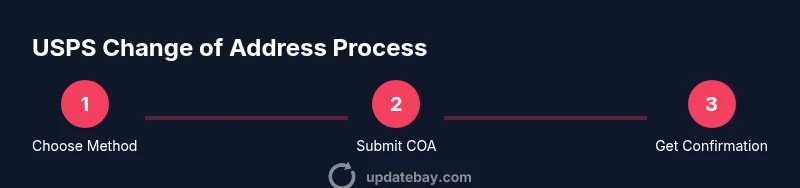
By the end of this guide, you’ll be able to update address usps quickly and securely. Choose online or in-person methods, gather your old and new addresses, and confirm the change with USPS. This quick path helps ensure mail is redirected accurately while safeguarding your identity. Whether you prefer the online portal or visiting a local post office, this steps-based overview covers identity verification, potential fees, and tips to avoid delays.
Why updating your address with USPS matters
If you’re moving, updating address usps ensures your mail finds you at the new home and reduces the risk of sensitive documents falling into the wrong hands. A timely COA helps banks, subscription services, and government agencies update records automatically, while mail forwarding is arranged through USPS to reduce gaps in delivery. In addition to convenience, keeping your address current can help prevent mail theft and identity misuse, especially if you’ve closed a previous account. This quick update also supports people moving between a residential address and a business site, ensuring correspondence remains aligned with your new location.
Online vs offline Change of Address: Choosing your method
Online Change of Address (COA) vs. in-person COA both exist. Online COA is generally faster and provides real-time status tracking; you can complete identity prompts and get an immediate confirmation number. In-person COA at the local post office offers personalized help and can be easier if you have concerns about online verification or want to submit a paper form PS 3575. The official COA services are available for individual, family, and business moves, but double-check the type of forwarding you need.
Online Change of Address flow
Online COA flow begins at the official USPS Change of Address portal. You will provide your full name, current address, and the new address, along with an effective date. You may be asked to verify your identity via security prompts. After submission, save your confirmation number and check email or the USPS tracker for status. This digital path is typically the quickest route and avoids a trip to the post office.
Paper COA: PS Form 3575 and in-person options
If you prefer paper, you can fill out PS Form 3575 at a local post office or download and print it from USPS. Fill in your old and new addresses, move type, and desired forwarding options, then submit it to a clerk or drop it in the mailbox slot at the counter. Paper COA provides a tangible trail and may be useful when online access is limited or timing is critical because staff can help in real time.
Security and identity verification: What to expect
Online COA often includes identity verification to protect your mail and prevent fraud. You may need to answer security questions, verify your contact information, or complete a brief identity check. If you’re submitting in person, staff may confirm your identity with a government-issued ID. Prepare to provide consistent information about your previous address and your new address to avoid delays.
Special cases: moves with temporary addresses, business addresses, or PO Boxes
For temporary moves, you can set a start date that aligns with your stay and extend forwarding if needed. Businesses may require additional documentation or multiple COAs for different departments, and PO Boxes can be included in COA, though some forwarding rules or restrictions may apply. Always verify whether any of your mail requires additional handling or services.
Common mistakes and how to avoid them
Common errors include misspelling the street or city, using an old phone number or email, and forgetting to set an appropriate start date. Always re-check addresses for accuracy and ensure the effective date gives you enough time to settle in. If you’re ordering forms in person, bring proper ID to speed processing.
After you submit: confirmations, start date, and mail forwarding activation
Once you submit, you should receive a confirmation number or email with tracking details. Use this to verify the submission and monitor status. The forwarding activation will begin on or after the specified start date, with USPS automatically rerouting eligible mail. Remember to keep your confirmation details until forwarding is established.
Additional tips: updating other services and protecting your address
After you’ve submitted the USPS COA, proactively update other services such as banks, credit card issuers, utilities, and subscriptions. This reduces the chance of missing important mail and helps protect your privacy by ensuring outdated addresses aren’t active. Also review privacy settings for online accounts and consider a mail hold or a secure mail pickup option if you’ll be away for an extended period.
Tools & Materials
- Internet-enabled device (phone or computer)(Use a modern browser; a stable connection speeds up the process.)
- Access to USPS Change of Address portal or in-person post office(Online COA via usps.com/change-of-address OR in-person at your local Post Office.)
- PS Form 3575 (optional)(Paper form for offline COA, available at the post office.)
- Identity verification information(Be prepared to answer security prompts or provide confirmation details as prompted.)
Steps
Estimated time: 10-20 minutes
- 1
Decide online COA vs in-person COA
Decide which submission method to use based on your access to the internet, need for help, and timeline. Online COA is typically fastest and provides tracking; in-person can be easier if you want assistance or prefer a paper trail.
Tip: If you have stable internet, start online first to see if you can complete in one sitting. - 2
Gather required information
Collect your current address, new address, full legal name as it appears on documents, and the intended forwarding start date. For households with multiple occupants, consider listing all affected names.
Tip: Double-check spelling to avoid misrouting. - 3
Submit the COA online
Navigate to the official USPS Change of Address portal, fill in the details, and complete any identity verification prompts. After submission, save the confirmation number.
Tip: Take a screenshot of the confirmation for safekeeping. - 4
Submit the COA in person (if chosen)
Go to your local post office with a photo ID, request PS Form 3575, fill it out, and hand it to the clerk or drop it in the designated slot. Ask for a printed receipt or confirmation.
Tip: Ask the clerk to verify the entry and spelling. - 5
Track submission and expect forwarding activation
Check your email or USPS portal for status updates, and note the official start date. USPS will begin forwarding eligible mail after processing.
Tip: Keep the confirmation number accessible until forwarding begins. - 6
Set or adjust the effective date
Choose a move date that aligns with your physical move; adjust as needed if your plans change. A precise date helps prevent gaps in mail delivery.
Tip: If your move is delayed, modify the start date to avoid sending mail to the wrong address. - 7
Update other services and documents
After submitting COA, contact banks, lenders, utilities, and subscriptions to update addresses. This ensures comprehensive coverage beyond USPS forwarding.
Tip: Make a checklist and track changes.
Frequently Asked Questions
Is there a fee to submit a USPS Change of Address?
The standard Change of Address service is free; some optional services may carry fees.
The online Change of Address is free; some extras may cost.
How long does mail forwarding start after submitting a COA?
Processing can take several days; choose an effective date to align with your move.
Mail forwarding starts after USPS processes your request, which can take several days.
Can I update address for someone else?
Yes, you can submit a Change of Address for dependents or someone living at the same address with proper authorization.
You can update for someone else with permission.
What if I move temporarily?
You can set a temporary forwarding period; consider mail hold options for extended absences.
You can set temporary forwarding or a mail hold.
Can I cancel or modify an address change after submission?
You can contact USPS to modify start date or cancel the COA; use your confirmation number.
You can modify the date or cancel using your confirmation number.
Is USPS COA compatible with PO Boxes?
Yes, Change of Address covers street addresses and PO Boxes and mail forwarding rules apply.
COA works for PO Boxes, but check forwarding rules.
Watch Video
What to Remember
- Choose online for speed and convenience.
- Have your old and new addresses ready.
- Forwarding is separate from updating other services.
- Double-check identity prompts and confirmations.