How to Update Address with USCIS: A Practical Guide
A practical, step-by-step guide to update address with USCIS online or by mail, ensuring you receive notices and keep your immigration records current. Learn who should file, what to prepare, and how to confirm submissions.


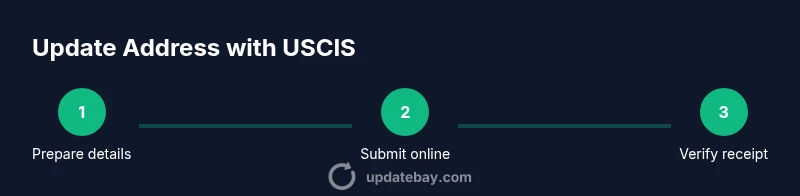
By following this guide, you will learn how to update address with uscis for pending requests and future notices. You can do this online through your USCIS account or by mailing the AR-11 form when needed. The steps cover who should file, what information to prepare, and how to confirm submission to avoid missed notices.
Why updating address with USCIS matters
Keeping your address current with USCIS is essential to ensure you receive important notices, appointment letters, and requests for evidence. When notices go to an old address, you may miss deadlines, miss appointments, or experience delays in processing. The Update Bay team emphasizes that timely address changes help maintain continuity in your immigration journey, reduce the risk of missed communications, and support smoother case handling. Whether you are filing a green card application, renewing a visa, or pursuing naturalization, an accurate address on file minimizes your risk of misdelivery and helps USCIS reach you with critical updates. For anyone updating address with USCIS, record-keeping matters: save confirmations, reference numbers, and dates of submission to attach to future correspondence if needed.
Who should update their address
Anyone with an active USCIS case or pending application should update their address when they move. This includes applicants for green cards (permanent residency), nonimmigrant visa petitions, asylum seekers, refugees, and individuals filing petitions or notices while living at a new address. Dependents and family members tied to a case should also ensure their contact information matches the primary applicant, especially if notices or biometrics appointments are part of the process. The goal is that USCIS can communicate decisions, requests for evidence, and appointment reminders to the correct location. The Update Bay guidance is to update address with USCIS promptly to prevent gaps in correspondence.
When to update your address with USCIS
Update your address with USCIS as soon as you move to a new residence. Prompt updates help ensure that notices and mail from USCIS reach you without delay and reduce the risk of missing deadlines. If you have multiple cases or petitions, update the address for each relevant case to keep all records current. In some situations, you may need to update addresses for dependent family members as well if they have separate USCIS cases. Consistency across all filings helps maintain a clear record and minimizes confusion for future correspondence.
Updating online: switch to the digital path
The fastest way to update address with USCIS is through your online account. Start by signing in, navigate to the address change section, and enter your new address exactly as it appears on your official documents. You may be asked to verify personal information and provide case receipt numbers. After submission, you should receive a confirmation notice or receipt number, which you should store securely. Online updates are typically faster and provide immediate acknowledgment, helping you stay on top of your immigration timeline and ensuring notices are routed to your current address. The process is designed to be user-friendly, but ensure you double-check every field before submitting.
Updating by mail: AR-11 and paper options
If you cannot access USCIS online or prefer traditional mail, you can update address with USCIS by submitting the AR-11 form or the appropriate paper notice. Download the AR-11 form from USCIS, fill in your current and new address, sign and date it, and mail it to the address listed on the form instructions. When mailing, use traceable postage and keep copies of the form and any submission receipts. Check the form instructions for the exact mailing address; USCIS updates can take longer when mailed, so plan accordingly and monitor for confirmations.
Verifying receipt and ongoing tracking
After updating, confirm that your new address is reflected in your USCIS account and on any pending cases. Look for a confirmation number, receipt ID, or status update in your account dashboard. If you do not see the update reflected within a reasonable timeframe, contact USCIS support or re-submit with proper documentation. Keeping a personal log of submission dates and confirmation numbers is a best practice, especially if you have concurrent applications or multiple family members affected by the change.
Handling multi-case updates and safety considerations
If you have several active USCIS cases (for example, a green card renewal and a work visa simultaneously), update each case individually to ensure notices go to the right address for every petition. Do not rely on a single address if separate case files exist. Be mindful of privacy and security: avoid sharing sensitive personal information via unsecured channels, and always use official USCIS portals or verified mail channels. This helps protect your information and reduces the risk of identity-related issues during processing.
Tools & Materials
- USCIS online account(Create or sign in to access the Change of Address feature)
- Current and new physical address(Include apartment/unit numbers and ZIP code; ensure accuracy)
- Case receipt numbers (if applicable)(Helps associate the update with specific filings)
- Personal identification(Passport or other government-issued ID for verification)
- Documents supporting address change (optional)(Lease, utility bill, or official correspondence may help if USCIS requests proof)
- Printer and mail supplies (for AR-11)(If you’re mailing AR-11, print the form and use traceable postage)
Steps
Estimated time: 15-25 minutes (online submission) depending on form complexity
- 1
Gather your information
Collect your current address, your new address, and any USCIS case receipt numbers. Having everything at hand reduces delays and errors when you submit the address change. Verify the spelling of street names, apartment numbers, and city/ZIP code.
Tip: Double-check all addresses against official documents to prevent misdelivery. - 2
Log in to your USCIS account
Open the USCIS online portal and sign in. If you don’t have an account, create one using your identity documents. Access the Change of Address or AR-11 section to begin the submission.
Tip: Use a secure device and enable two-factor authentication for protection. - 3
Submit the online address update
Enter your new address exactly as it appears on government records. Attach case numbers if prompted and review every field before submitting. Submit and note the confirmation number for future reference.
Tip: Take a screenshot of the confirmation and save it in a secure location. - 4
Confirm for all active cases
If you have multiple USCIS cases, repeat the online update for each case or select a bulk update option if available. This ensures notices reach you for every petition or application.
Tip: Create a checklist of all active cases to ensure nothing is missed. - 5
Consider the mail option if needed
If you cannot access the online system, download AR-11, complete it, and mail it to the address indicated on the form. Include any supporting documentation if requested by USCIS.
Tip: Use tracked mail or delivery confirmation to prove submission. - 6
Monitor and verify receipt
Check your USCIS dashboard and email for confirmation updates. If you don’t receive a confirmation within a reasonable period, contact USCIS support.
Tip: Keep a personal log of submission dates, receipts, and confirmation numbers. - 7
Maintain updated records going forward
Review all future notices and renewals to ensure the new address remains current. Regular updates prevent miscommunication and support timely processing.
Tip: Set calendar reminders to review address details after every move.
Frequently Asked Questions
Who needs to update their address with USCIS?
Any applicant or recipient with an active USCIS case should update their address when they move. This includes visa petitions, green card applications, asylum cases, and naturalization filings. Keeping all contact details current helps ensure you receive timely notices.
Any applicant or recipient with an active USCIS case should update their address after moving to receive timely notices.
Can I update multiple cases at once online?
Yes. If you have several USCIS cases, you can update your address for each one in your online account. If the system doesn’t support bulk changes, repeat the process for each case to ensure accuracy.
You can update multiple cases in your online account by repeating the process for each case.
What if I miss sending an address update?
Missing an address update can lead to notices being sent to your old address, possibly causing delays or missed deadlines. It’s best to update as soon as you move and confirm receipt after submission.
Missing an update can cause notices to go to your old address, risking delays.
Is AR-11 the only option to update address?
AR-11 is the traditional form for address changes, but USCIS now supports online updates for many cases. If online is available, it is usually faster and provides immediate confirmation.
AR-11 is one option; online updates are typically faster and provide instant confirmation.
How long does it take for the update to reflect in my notices?
Processing times vary; after submission, monitor your USCIS account for confirmations. If you don’t see updates within a reasonable period, contact USCIS support.
Processing times vary; check confirmations and contact support if you don’t see updates soon.
Will updating my address affect biometrics appointments?
Updating your address ensures notices reach you; it should not cancel or alter biometrics appointments unless USCIS requests changes. Always verify appointment details after submission.
Address updates help you receive notices, and usually don’t change biometrics unless USCIS flags an issue.
Watch Video
What to Remember
- Update address with USCIS promptly after moving.
- Use online submission for speed and accuracy.
- Verify all active cases are updated.
- Keep confirmation numbers and records secure.
- If online isn’t possible, use AR-11 by mail with tracking.