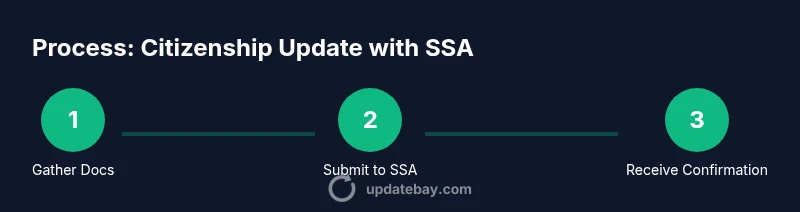
Citizenship Update with Social Security: Step-by-Step Guide for 2026
Learn how to update your citizenship status with Social Security, what documents you need, steps to take, and how updates affect benefits and records. Practical guidance for tech-minded readers from Update Bay.


You can update your citizenship status with Social Security by submitting proof of naturalization or citizenship to the Social Security Administration (SSA), then having your records updated and your Social Security card reflect the change. Gather your naturalization certificate, passport, ID, and your SSN; contact the SSA to start the update.
Why citizenship update matters for Social Security
For anyone navigating the citizenship update social security process, keeping SSA records aligned with your current status is essential. According to Update Bay, accurate citizenship data helps prevent delays, reduces the risk of benefits being delayed or misdirected, and ensures that your records reflect your legal status. When you naturalize or otherwise change citizenship status, SSA record updates are not automatic—you must initiate the update and provide official proof. This alignment matters not only for eligibility checks but also for correspondence about benefits, replacement cards, and future security notices. In practice, a quick, well-documented update minimizes follow-up requests and speeds up verification. As you proceed, remember that the SSA will verify your documents and may request originals or certified copies. The goal is to complete a compliant update that stands up to review and avoids common tripping points.
bold:
Tools & Materials
- Social Security Number (SSN)(Your current SSN is needed to locate and update your official SSA record.)
- Naturalization certificate or citizenship certificate(Primary proof of citizenship status change.)
- U.S. passport or other government-issued photo ID(Used for identity verification.)
- Proof of current address(Helpful if submitting by mail or in person.)
- Copies of documents (certified copies preferred)(Do not send originals unless requested.)
- Printer/ scanner or access to SSA online portal(For submitting documents digitally when available.)
Steps
Estimated time: Several weeks
- 1
Gather citizenship documents
Collect your naturalization certificate or citizenship certificate, your U.S. passport, and a valid government-issued photo ID. Create organized copies (certified copies preferred) and label them clearly. This reduces back-and-forth requests and speeds up the review.
Tip: Keep a single folder with all documents to avoid misplacement. - 2
Access your SSA account or locate SSA contact options
If eligible, log into your SSA online account to start an update request. If not, locate your nearest SSA office or call their helpline to begin the process and arrange document submission.
Tip: Online submission often speeds up processing and provides status updates. - 3
Submit the update with documentation
Submit your citizenship proof and identity documents through the official channel (online portal or in person). Include a brief note tying your new citizenship status to the SSA records to avoid confusion.
Tip: Do not submit originals unless specifically requested by SSA. - 4
Verify identity and consent for SSA verification
SSA may verify your identity and run checks to prevent fraud. Be prepared to provide additional information or clarification if SSA requests it.
Tip: Answer SSA’s questions concisely and truthfully to avoid delays. - 5
Await confirmation and review changes
SSA will review your submission and update your records if everything is in order. You’ll receive confirmation by mail or through your online account once the update is complete.
Tip: Check spam/junk mail for SSA confirmations and keep your confirmation number. - 6
Update related records if needed
After the SSA update, check other essential records (driver’s license, passport, tax records) to ensure consistency with your citizenship status.
Tip: Coordinate updates across agencies to prevent mismatches.
Frequently Asked Questions
Do I need to update my Social Security record after citizenship changes?
Yes. Updating SSA records ensures your citizenship status is accurate, which helps avoid delays and misdirected correspondence. You may also receive a new or updated Social Security card if needed.
Yes. You should update SSA records after citizenship changes to reflect your new status and keep benefits and communications accurate.
What documents are accepted as citizenship proof?
Common proofs include a naturalization certificate, U.S. passport, or a Certificate of Citizenship. SSA may request certified copies or originals for verification.
Naturalization certificates or a U.S. passport are typical proofs SSA accepts for citizenship updates.
Can I update my record online?
Some updates can be completed online via your SSA account. If online submission isn’t available for your case, visit an SSA office or submit by mail with copies of the documents.
In many cases you can update online through your SSA account; otherwise, you’ll need to visit or contact SSA.
Will updating citizenship affect my Social Security benefits?
Updating citizenship status alone generally doesn’t change benefit amounts. It ensures records match your status, which can prevent delays in future benefit decisions.
Updating citizenship helps keep your records accurate; it usually doesn’t change how much you receive, but it prevents processing delays.
How long does the update take?
Processing can take several weeks depending on workload and whether additional verification is needed. You’ll receive confirmation once the update is complete.
The update can take several weeks; you’ll get confirmation once it’s finished.
Do I need a new Social Security card after citizenship update?
A new card isn’t always required. If you need to change your name or status on the card, SSA can issue a replacement card upon request.
You may not need a new card unless you’re changing your name or citizenship details on the card.
Watch Video
What to Remember
- Take action promptly to align records with citizenship status
- Prepare certified citizenship documents and ID before applying
- Submit through official SSA channels to minimize delays
- Verify updates and coordinate with other records like licenses and taxes
- The Update Bay team recommends using this guide to complete your citizenship update confidently