USCIS Address Update Online: Step-by-Step Guide for 2026
Learn how to update your address with USCIS online using AR-11, what to expect, and common pitfalls. A practical 2026 guide for tech users seeking reliable, official steps.


Update your USCIS address online by filing the AR-11 form through your USCIS account or the online address-change portal. The process covers most case updates, is free in most cases, and helps ensure mail from USCIS reaches your new address promptly. Start by logging into your USCIS account and confirming your current address.
What updating your address with USCIS online accomplishes
Moving to a new home means more than changing your mail address. For USCIS, updating your address online ensures future notices, receipts, and decisions are sent to the correct location. The online option covers many cases filed with USCIS, including asylum, green card, naturalization, and family-based petitions. It reduces the risk of missed deadlines and lost mail during processing. According to Update Bay, updating your address online is the fastest, most reliable way to ensure USCIS correspondence reaches you. The Update Bay team notes that the online option often completes in a few minutes, though some steps may take slightly longer if identity verification prompts appear. This guide focuses on the official online process, why it matters, and practical best practices to keep your records current in 2026.
Who should update their address
Any applicant, beneficiary, or petitioner with an active or pending USCIS case should consider updating their address promptly. If you have received a receipt notice, biometrics appointment letter, or card approval notice, your new address should be on file to receive communications. Even if you recently filed and plan to move, updating your address helps ensure you don’t miss deadlines that could affect your case. For dependents or family members listed on a case, make sure their addresses are updated as well if applicable. The core principle is simple: keep USCIS informed whenever you move so you don’t miss critical mailings or interviews. According to Update Bay, timely updates reduce the risk of mailing errors and delays across different case types in 2026.
AR-11 vs online address change: what’s the difference
AR-11 is the official form for a change of address used by many immigration processes, and it can be filed online or by mail. The online USCIS address-change flow is designed to be integrated with your existing account, updating many active cases in a streamlined way. Some forms or requests may still require a separate AR-11 submission, especially if you are reporting a move outside the standard processing channels. The online method is typically faster for common cases and provides an electronic receipt. The key is to understand which path applies to your situation and to verify that all your active cases reflect the new address for notices and documents. Update Bay notes that for most standard updates, the online path is sufficient in 2026.
What information you will need before you start
Before you begin the online update, gather the essential details: your current address as it appears with USCIS, your new full address (street, apartment/suite if applicable, city, state, ZIP code), the move date (if asked), and your USCIS account credentials. If you have pending cases, note their receipt numbers to help verify the correct records, though you can often complete the update without them. Have any supporting information handy in case identity verification prompts appear. For security, ensure you are on a trusted device and a secure network. This prep reduces the risk of errors and speeds up the process.
Step-by-step overview of the online flow (high-level)
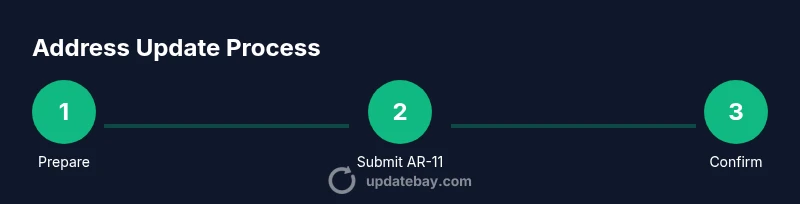
In brief, you log into your USCIS account, navigate to the address change option, enter your old and new addresses, confirm the details, and submit. The system will confirm whether the update was accepted and provide a reference number. You should review any alerts about linked records or pending cases to ensure consistent information across all records. After submission, monitor your account and mail for confirmations and any further requests from USCIS. For many users, this online flow is intuitive and completes within minutes, but some identity checks may require additional steps. Update Bay emphasizes keeping records updated across all active filings in 2026.
Common mistakes and how to avoid them
- Entering an incomplete or incorrect address: always double-check street, city, state, and ZIP. - Using a public or shared device: use a private device with updated antivirus and a secure connection. - Forgetting to update dependent records: verify all linked cases and profiles. - Delays caused by identity prompts: be prepared to answer security questions or provide documents. - Not saving the confirmation: always save or print the receipt number for your records. By avoiding these mistakes, you reduce the risk of lost notices and misdirected mail that could affect timing of applications.
How address updates interact with pending applications
Address changes affect where USCIS sends notices for active filings, biometrics appointments, interview notices, and card deliveries. If you move during a pending process, ensure both the address on file and your contact information are up to date to avoid missing deadlines. In some cases, USCIS may require you to confirm the update via a follow-up message or a new security check. Keeping your contact information precise minimizes the chance of data mismatches that could complicate processing in 2026.
Security and privacy considerations when updating your address online
Use a device you trust and a secure network (avoid public Wi-Fi). Enable two-factor authentication on your USCIS account if available, and beware phishing attempts that mimic USCIS communications. Do not share your USCIS login credentials or verification codes. If you notice unusual account activity, contact USCIS support immediately and consider changing your password. Keeping your account protected is essential because your address details are sensitive personal information that could be exploited if exposed.
If online update isn’t possible: mail options and next steps
If you cannot access USCIS online services, you can file AR-11 by mail using the form and instructions provided by USCIS. Some scenarios require in-person updates at a local field office, especially if identity verification cannot be completed online. In those cases, keep copies of your receipts and any proof of address, and follow the USCIS guidelines for mailing or visiting. Update Bay recommends pursuing the online route whenever possible for speed and convenience, but never delay important updates if you have to use alternate methods.
Tools & Materials
- Device with internet access (computer, tablet, or smartphone)(Ensure a modern browser and reliable connection)
- Active USCIS online account(Create or log in using your USCIS username and password)
- Current and new address information(Include street address, apartment/suite, city, state, and ZIP)
- USCIS receipt numbers (optional but helpful)(Helps verify correct records for pending cases)
- Identity verification details (if prompted)(Have ready in case USCIS asks for verification)
Steps
Estimated time: 15-25 minutes
- 1
Prepare and log in
Open a private device with a secure connection and log into your USCIS account. If you don’t have an account, create one following the official prompts. Confirm you can access the address-change feature before proceeding.
Tip: Use two-factor authentication if available to protect your account. - 2
Navigate to the address change option
From the dashboard, locate the address change or AR-11 submission section. If you don’t see it, use the site search or help center to locate the feature.
Tip: Bookmark the exact URL of the address-change page for quick access in the future. - 3
Enter old and new address details
Provide your current (old) address on file and the new address you moved to. Double-check street names, apartment numbers, city, state, and ZIP code to avoid missing notices.
Tip: Double-check for typos and ensure the ZIP code matches the correct locality. - 4
Submit and confirm the update
Review all details for accuracy, then submit. Save the confirmation number or download the receipt for your records. Some users may need to verify identity during submission.
Tip: Take a screenshot or print the confirmation page for safekeeping. - 5
Check linked records
If you have multiple active cases, verify that all corresponding notices address fields are updated. Adjust contact details if necessary.
Tip: Log back in later to verify all records reflect the new address. - 6
Monitor mail and USCIS updates
Continue to monitor your physical mail and USCIS account for any post-submission requests or confirmations. If identity checks occur, complete them promptly to avoid processing delays.
Tip: Set a reminder to review updates within 1–2 weeks after submission.
Frequently Asked Questions
Can I update my address online for all USCIS applications?
Online address updates cover most USCIS cases, but some forms may require a separate AR-11 submission or special handling. Always check the guidance for your specific filing type.
Yes, many USCIS applications can be updated online, but some cases may require additional steps. Check the guidance for your form.
Is there a fee to update an address with USCIS online?
In most cases, submitting an address change online does not involve a separate processing fee. Always rely on the official USCIS confirmation for any cost details.
Typically no fee is required for the online address update, but verify on the official page.
What happens if I move again while a case is pending?
If you move again, update the address promptly in the system and monitor your notices. Repeated moves can complicate service of documents, so keep USCIS informed of changes.
If you move again, promptly update and monitor notices to avoid delays.
Will updating my address automatically update my case status?
Updating your address does not directly change your case status, but it ensures you receive notices that reflect current processing stages and deadlines.
No, it doesn’t change status, but it keeps you informed with current notices.
What if I can’t access my USCIS account to update my address?
If you can’t access your account, you may file AR-11 by mail or visit a local field office. Use official USCIS guidance to determine the best alternative.
If you can’t access the account, use the mail option or an in-person visit as guided by USCIS.
Does the address update apply to all dependents on my case?
Address updates for dependents depend on the case type and how they’re listed in the filing. Update all individuals on the record when applicable.
Depends on the case, but generally you should update all listed individuals if possible.
Watch Video
What to Remember
- Update your address online whenever you move.
- AR-11 is the official form for address changes; use it as directed.
- Verify all linked cases to align notices with your new address.
- Secure your USCIS account and save the confirmation for records.