What to Update After a Name Change: A Practical Guide
A comprehensive, step-by-step guide to updating records, accounts, and subscriptions after a legal name change. Learn what to update, the order of tasks, and how to avoid delays, with practical tips from Update Bay.


After a name change, you’ll need to update personal records, financial accounts, government documents, and service subscriptions to reflect your new legal name. This guide outlines the essential updates, the recommended order, and common pitfalls. Following these steps helps prevent identity complications, missed mail, and access issues.
Why updating after a name change matters
A name change touches more than your personal identity—it's a signal to update every system that uses your name as an identifier. If records stay mismatched, you risk identity verification failures, mail delays, or interruptions in services. The outcome isn't just paperwork; it's day-to-day life: receiving mail, accessing accounts, and proving who you are when you interact with banks, health plans, or government agencies. The goal is consistency, which reduces friction and the need for repeated verifications. According to Update Bay, a proactive plan reduces friction and minimizes post-change chaos. In this section we explain why timely updates matter and how a structured approach helps you stay in control. The aim is a single, unified name across government records, employer systems, financial institutions, healthcare providers, and digital services. Start with the mindset that every update reduces future friction.
Documentation overview: what to update first
Before you touch anything, create a master checklist. This list should enumerate every document, account, and service that uses your current name. Start by prioritizing official records (government-issued IDs, Social Security, and passport) and then move to financial accounts and employer records, followed by healthcare providers and digital services. The exact order can vary, but a predictable sequence helps you coordinate mail forwarding, tax forms, and benefits. As you assemble your checklist, factor in potential processing times—some organizations require mail-in documents, others accept digital uploads. Use a 1-page summary for quick reference, and keep certified copies in a secure folder. Update Bay’s guidance emphasizes documenting timelines and deadlines to avoid gaps. Include notes on where you’ve already completed an update and what still needs attention. The aim is clarity, not chaos, so you’ll have an actionable path instead of a pile of scattering tasks.
Government and official records
Official records are often the gatekeepers for identity verification and ongoing entitlements. Begin with the Social Security Administration (SSA) to align your Social Security record with your new name, since most other steps hinge on that change. Then update your driver's license or state ID, and finally your passport if you hold one. Each agency has its own form, required documentation, and processing time. For example, SSA changes typically require your name on the SS-5 form and supporting documentation; you may receive a new card by mail. After that, government records like your voter registration and tax records should reflect the new name. Plan for several days of mail processing and potential in-person visits. See updates from SSA.gov and Travel.State.Gov for official guidance on documentation and timelines.
Financial institutions and credit
Financial updates are essential to maintain uninterrupted access to funds and credit. Contact your bank, credit unions, and loan servicers to update your account names; plan for new checks or debit cards if applicable. If you use online banking, update the profile name and security settings, and consider updating linked payment apps. Credit bureaus should be notified to prevent identity theft alerts caused by mismatches. Create a list of all banks and lenders, and check whether you need to update your tax documents or beneficiaries on retirement accounts. Some institutions offer secure online portals; others require a branch visit with identity verification. The Master checklist will help you track progress and avoid duplicate records. Remember that updates can take time to propagate across all systems; confirm once you receive confirmation notices.
Employment and payroll
Employer records must reflect your legal name to ensure payroll accuracy, benefits, and tax documents align with your identity. Notify HR or your payroll administrator, submit the name-change document, and request updated tax forms (such as W-4 in the U.S.) if necessary. Employers often forward updates to benefits providers, retirement plans, and time-tracking systems. If you work with a contractor or freelancing platform, update your profile data and payment methods to avoid delays in payments. Keep a copy of all submitted forms and confirmations in your name-change folder. If your organization uses a third-party HR system, ask for a copy of your updated employee profile once the change is processed.
Healthcare and insurance
Healthcare providers and insurers rely on accurate identifiers for eligibility and claims. Update your name with your primary care physician, specialists, clinics, and hospital networks. For insurance, update your policyholder name with the insurer and any employer-based health plans; ensure the name matches your ID exactly to prevent claim delays. If you have Medicare, Medicaid, or private plans, verify that the name change has propagated to billing systems and provider directories. In some cases, you may need to reissue insurance cards or update patient portals. Document the dates of submissions and keep copies of confirmations. If you have dependents, make sure their policies reflect any related changes when applicable.
Digital presence: email, social, and subscriptions
Your digital identity travels with your legal name as well. Start by updating your primary email account name, recovery options, and display name. Next, audit social media profiles, streaming services, cloud storage, and any apps that rely on your name for identity verification or login. Update billing information, receipts, and contact details so future communications reach you. For subscriptions, update usernames, payment methods, and family plan associations where relevant. Don’t forget to inform your contact lists and update business cards or email signatures if you use your name professionally. If you manage a professional profile or portfolio, update your bio and any bylines. Finally, enable two-factor authentication where available to help protect accounts during the transition.
Mailing address and consistency across vendors
Make sure your mailing address is consistent across every service you use; this reduces mail delays and misdeliveries. If you’ve moved as part of the name change process, update residency documents, utility accounts, and online shopping profiles with the new address. Consider setting up mail forwarding with your local post office or adding a forwarding address for a defined period. Vendors often require confirmation of a new address via a utility bill or lease agreement, so keep scans handy. Audit newsletters, catalogs, banks, and healthcare portals to verify that the correct address is displayed. If you use carrier-based identity verification (like credit cards or mobile carriers), test that the new name and address link correctly to your account. The goal is to avoid pockets of inconsistent information that could trigger verification hurdles.
Creating a name-change checklist and timeline
Craft a pragmatic, reusable checklist and timeline. Start by listing all categories (government, financial, employer, healthcare, digital, mail). Assign a priority level and a rough processing window for each item, then set reminders for follow-up tasks. Use a calendar or project-management tool to track progress and set due dates. If possible, submit documents in parallel where permitted to compress overall completion time. Build in buffer days for mail-forwarding and card re-issuances. Review the master list weekly for updates and new notices—name-change workflows can reveal forgotten items. Finally, celebrate when you’ve completed updates across major categories and maintain a quarterly review to catch any residual inconsistencies.
Tools & Materials
- Certified name-change document(Court order or marriage certificate; keep original plus certified copies)
- Current government-issued photo ID(Driver's license or passport; bring both old and new names if updates are pending)
- Master checklist(Running list of all records and accounts to update)
- Secure digital device(Phone or computer with internet access)
- Proof of address (where needed)(Utility bill or lease to verify address during updates)
- Copies of important documents(Keep copies in a secure folder)
Steps
Estimated time: 4-6 weeks
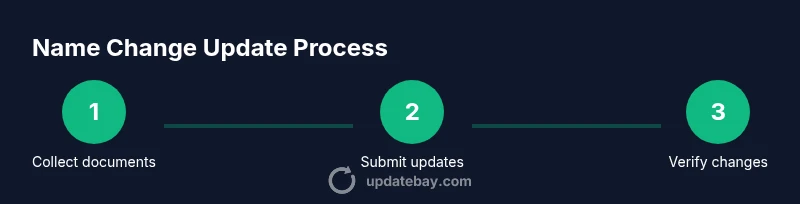
- 1
Gather required documents
Collect your certified name-change document, current photo ID, and any existing records that show your old name. Organize them in a dedicated folder or digital album so you can access them quickly during submissions. This reduces back-and-forth with agencies and speeds up verification.
Tip: Label each document clearly and keep both originals and certified copies handy. - 2
Create a master checklist
Draft a master checklist listing every institution you will notify, from government agencies to banks, insurers, and digital services. Include fields for the required documents, submission method, processing time, and completion status. A centralized view helps you stay on track.
Tip: Share the checklist with a trusted person or keep it in a cloud folder for accessibility. - 3
Update government records first
Begin with SSA (or your local equivalent) to align your legal name, then update driver’s license/ID and passport if applicable. Government records often drive subsequent updates and can require identity verification, so start here to avoid bottlenecks.
Tip: Check official sites (SSA.gov, Travel.State.Gov) for exact forms and documentation. - 4
Notify employer and payroll
Inform HR or payroll about your name change and provide the legal documentation. Update tax forms and benefits as needed. This step prevents payroll errors and ensures tax reporting aligns with your new name.
Tip: Request confirmation of updates and keep copies of submitted forms. - 5
Update financial institutions
Contact banks, credit unions, and loan servicers to update your name on accounts, cards, and beneficiaries. Update online profiles and linked payment apps. Notify credit bureaus to avoid mismatched records and potential fraud alerts.
Tip: Ask for new cards or temporary replacements if needed and verify changes in online banking after submission. - 6
Refresh healthcare and insurance
Update your name with doctors, clinics, and insurers. Ensure policy names match IDs to prevent claim denials. Reissue insurance cards if required and test patient portals to confirm the change propagates.
Tip: Document submission dates and keep confirmations handy. - 7
Clean up digital accounts and subscriptions
Change names across email, social media, streaming services, and apps that rely on your name for identity. Update login recovery options and payment methods where necessary. Review business cards and email signatures to reflect your new name.
Tip: Enable two-factor authentication to protect accounts during the transition. - 8
Verify mailing address consistency
If you’ve moved, update addresses across vendors and set up mail forwarding if needed. Consistent addresses reduce misdelivery and help verification checks during updates.
Tip: Keep a digital copy of a proof-of-address document for quick submissions. - 9
Review and finalize the timeline
Once major categories are updated, review the checklist for any missed items and set follow-ups for pending updates. A final review helps prevent lingering inconsistencies across services.
Tip: Set a recurring quarterly reminder to catch any missed updates.
Frequently Asked Questions
What should I update first after a name change?
Begin with government records (e.g., SSA, driver’s license) to align your legal identity; this often unlocks processing for other updates.
Start with government records to align your legal name, then move to banks, employers, and healthcare.
Do I need to notify my employer and payroll?
Yes. Inform HR or payroll, submit the legal name-change document, and request updated forms if needed to avoid tax or benefits issues.
Yes—tell HR and payroll, provide the legal docs, and get updated tax forms if necessary.
How long does the update take across agencies?
Processing times vary by agency and document type. Expect several weeks for full propagation, and plan for potential in-person steps.
Times vary; some updates take weeks. Check each agency’s timeline for specifics.
Should I update my passport and driver’s license?
Yes. Update passport if held, and renew your driver’s license or state ID to reflect the new name. Use separate applications where required.
Yes—update passport and driver’s license; each has distinct forms and timelines.
What if I forget an account?
Review your master checklist periodically. If you miss an item, submit updates as soon as you notice to minimize risk of inconsistent records.
If you miss an account, update it as soon as you notice to keep records consistent.
Can I speed up updates?
Some agencies offer expedited options or in-person processing. Gather all required documents in advance to reduce back-and-forth.
Sometimes expedited options exist; prepare all docs to speed things up.
Watch Video
What to Remember
- Plan ahead with a master checklist and timeline
- Prioritize government records, then finances and healthcare
- Maintain consistency across all records to reduce friction
- Keep confirmations and dates for auditability
- Review regularly to catch any missed items