How to Get an Updated Driver's License in 2026
Learn how to get an updated driver's license in 2026 with our comprehensive, practical guide. We cover eligibility, documents, online vs in-person options, fees, timelines, and tips to avoid delays.


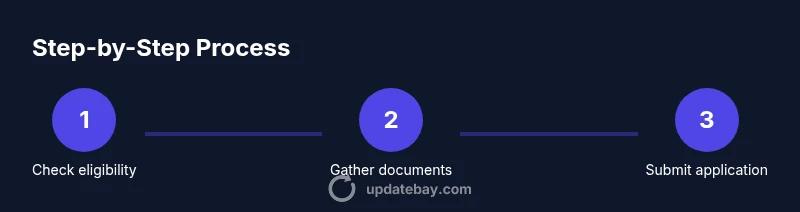
To get an updated driver's license, start by confirming eligibility with your state DMV, gather required documents, and submit the application online or in person. Expect processing times to vary by location and method; in-person visits often speed verification and issuance. This guide walks you through the steps, documents, and tips to avoid delays.
Why you may need to update your driver's license
Life events such as a name change, address change, or a move to a new state require updating your driver’s license. An updated license helps ensure the photo, name, and address on file match your current identity and credentials. If you drive regularly, staying on top of these updates reduces the risk of penalties or travel delays during routine checks. According to Update Bay, proactively updating your license keeps you compliant and minimizes last-minute hassles. This section explains common scenarios and how to decide if you should apply now. We’ll cover eligibility, required documents, and the best method to submit in your state.
Understanding update vs renewal vs replacement
An updated driver’s license is different from a renewal or a replacement. A renewal simply refreshes an expiring license with no changes to your information, while a replacement is issued when your card is lost or stolen. An update is necessary when your name, address, or state of residence has changed, or when your license photo needs to be refreshed. Knowing the distinction helps you choose the right path and prevents paying for a renewal when you actually need an update. Always check your state DMV’s definitions and fees, as terminology and requirements can vary.
Gather and organize documents for the update
Before you start, assemble the documents required for your specific change. Typical items include proof of identity (passport, birth certificate), proof of state residency (utility bill, lease), your current license, and any legal name-change documents (marriage certificate or court order). You’ll also need your Social Security number or equivalent in many states and a valid payment method for the update fee. If you anticipate needing an address change, having a recent utility bill or bank statement with your new address is especially helpful. Review your state’s official site for the exact list, as requirements vary.
Choosing online vs in-person submission
Many states now offer online applications for updates, which can be convenient if you have all documents scanned and ready. Online submissions often lead to quicker processing, but some updates—especially those involving a name change or a photo update—may require an in-person visit. If your state mandates in-person identity verification, schedule an appointment well in advance to avoid delays. For fast processing, start the online route when possible and reserve in-person visits for cases where they’re explicitly required.
Fees, processing times, and delivery options
Fees for updating a driver’s license vary by state and by the type of update. In general, you’ll pay the standard license renewal or update fee, with possible additional charges for expedited processing or special services. Processing times depend on location, method, and whether additional identity checks are needed. Delivery options range from mail delivery to in-person pickup at a DMV office. If you need the updated card quickly, ask about expedited options and verify the latest processing timelines on your state DMV site.
Special situations: name changes, address changes, and legal updates
Name changes require supporting documents such as a marriage certificate or court order. Address changes may be handled with proof of residency and a form update; in some states you can update address online without a new photo, while others require a visit for a new photo. If you’ve recently changed your gender marker or need other legal updates, consult the DMV’s guidelines as requirements can differ by state. Always carry original documents when visiting an office and keep copies for your records.
Common mistakes and how to avoid delays
Rushing through the application or submitting expired documents is a common delay cause. Double-check your name, date of birth, and SSN; mismatches trigger verification holds. Upload clear, legible copies of documents and ensure they match your current address. Avoid submitting multiple versions of the same document and verify you’re using the official state DMV portal to prevent scams. Finally, don’t discard confirmation receipts—they provide proof of submission and can help if anything goes wrong.
Practical tips for a smoother update experience
Plan ahead, organize documents, and verify instructions on your state DMV site. If you’re updating from out of state, be mindful of additional requirements and longer processing times. Schedule appointments when required, and keep a digital copy of your documents in a secure location. Proactively renew before expiration to avoid gaps in your driving privileges. Remember, the right preparation saves time and reduces the chance of needing a second visit.
Tools & Materials
- Current driver’s license(Use as baseline; bring if updating or changing details.)
- Proof of identity(Passport or birth certificate (official copies).)
- Proof of state residency(Utility bill, bank statement, lease with name/address.)
- Legal name-change documents(Marriage certificate or court order if your name has changed.)
- Social Security number (SSN)(Bring SSN card or documentation as required by your state.)
- Payment method(Credit/debit card or other accepted payment for fees.)
- Vision screening records(Some states require a vision test.)
- Pre-filled online application (if available)(Have login ready if your state supports online prefill.)
Steps
Estimated time: Varies by location; processing and mailing can take several weeks.
- 1
Decide application method
Check your state DMV for available options (online, mail, or in person). Online is usually fastest if you have all documents ready. If changes require identity verification, plan an in-person visit. WHY: selecting the right path avoids unnecessary trips and ensures you meet state rules.
Tip: If online is available, start there to save time and reduce in-person queues. - 2
Gather and verify documents
Collect identity proof, residency evidence, current license, and any name-change documents. Ensure names, addresses, and dates match what you will enter on the form. WHY: mismatched information can trigger delays or denial of the update.
Tip: Make copies or scans of each document in case you need to submit electronically. - 3
Fill out the update application
Enter your personal information accurately, including any name or address changes. Review the form for consistency with your documents and avoid common typos. WHY: errors cause processing holds or rejections.
Tip: Save your progress if the portal supports it and review before final submission. - 4
Submit the form and pay fees
Submit the completed application through the chosen channel and pay the required fee. Keep the confirmation receipt as evidence of submission. WHY: a record helps you track status and resolve any issues quickly.
Tip: Use a payment method you control to avoid payment disputes later. - 5
Visit the DMV if required
Some updates require in-person identity verification, a new photo, or a signature. If you’re scheduled, arrive prepared with originals and copies. WHY: in-person checks prevent fraud and ensure your license photo is current.
Tip: Bring all originals; expect a short wait, and dress appropriately for a new photo. - 6
Complete tests if needed
A vision test is sometimes required for license updates. If your state mandates it, perform the test at the DMV or as directed. WHY: failed tests can delay issuance until you meet requirements.
Tip: Practice basic vision checks beforehand so you know your results. - 7
Receive updated license
License issuance or mailing occurs after approval. Track status if the DMV provides an online portal. WHY: timely receipt reduces gaps in driving privileges.
Tip: If you need it quickly, ask about expedited processing and delivery options. - 8
Verify delivery and update records
Once you have the new license, verify that all data is correct. Update your employer, insurance, bank records, and voter registration as needed. WHY: a correct license aligns with all official records.
Tip: Keep the temporary license or receipt until the new card arrives and you verify the details.
Frequently Asked Questions
Do I need to update my driver's license if I move to a new state?
Yes, most states require you to update your license to reflect your new state of residence and address. This helps ensure your license is valid for driving in your new location.
Yes, if you’ve moved to a new state, you’ll typically need to update your license to reflect your new state and address.
Can I complete the update online?
Many states offer online updates for basic changes, but some updates—like name changes or new photos—may require an in-person visit. Always check your state DMV for current options.
In many places you can update online, but some changes will require an in-person visit.
What documents are needed for a name change?
You’ll need legal proof of the name change, such as a marriage certificate or court order, plus identity and residency documents. Some states require updated social security information as well.
If your name has changed, bring official legal documents like a marriage certificate or court order.
How long does it take to receive the updated license?
Processing times vary by state and method. You may receive a temporary license while your card is issued and mailed to you.
Processing times vary and you may get a temporary license while waiting for the new card.
Do I need a vision test for the update?
Some states require a vision screening as part of the update; others rely on existing records. Check your DMV requirements.
Some places require a quick vision test, others don’t—verify with your DMV.
What if I lose my updated license?
Report the loss and request a replacement through the DMV. Fees apply and processing timelines may differ.
If the new license is lost, contact the DMV to request a replacement.
Watch Video
What to Remember
- Check eligibility before starting
- Gather documents upfront to avoid back-and-forth
- Choose online or in-person based on your state's rules
- Expect variable processing times and plan accordingly