What Do You Need to Update Your Driver's License
A comprehensive walkthrough of documents, steps, and tips to update your driver's license online, by mail, or in person.


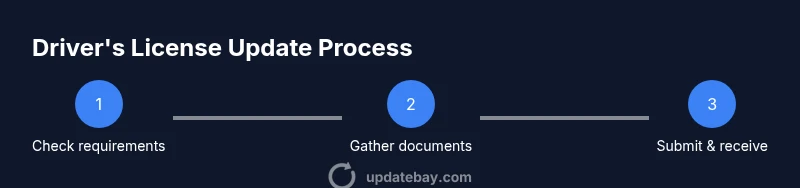
To update your driver's license, gather proof of identity, a current license, proof of address, and any name-change documents. Then choose your update method (online, in person, or by mail) and submit the required forms and fees. Keep your original documents handy, and verify which documents are accepted in your state. Check for photo requirements and appointment rules if needed.
what do you need to update your driver's license
Gearing up to update your driver's license starts with knowing the exact documents your state requires. While the core elements are similar across the country, each DMV sets its own rules for identity proof, residency, and eligibility. According to Update Bay, understanding the requirements upfront reduces delays and helps you plan the best update path for your situation. In most cases, you will need to demonstrate who you are, where you live, and your current status to legally drive with a valid license. You’ll also want to prepare for potential name or address changes if your personal information has shifted since your last license was issued. The steps below walk you through gathering documents, selecting an update method, and submitting your request with the right forms and fees.
Essential documents you'll typically need
Most states expect a combination of documents that prove identity, residency, and legal presence. Common items include:
- Your current driver's license (the document you want updated)
- Proof of identity such as a passport, birth certificate, or another government-issued ID
- Proof of Social Security Number (SSN) like an SSN card or a tax document that shows the SSN
- Proof of state residency—utility bill, lease agreement, or bank statement bearing your name and current address
- Name-change documentation if you’ve legally changed your name (marriage certificate, court order)
- Payment method for the update fee (credit/debit card, check, or cash as allowed by your DMV)
Note: Exact documents and acceptable formats vary by state. Always verify the DMV’s official site for your jurisdiction before you start.
Update pathways: online, in person, and by mail
Most DMVs offer multiple paths to update your license. Online updates are convenient for address changes and some name changes, often requiring secure login and document uploads. In-person visits can speed things up when identity proof or photos are involved and appointments are encouraged in busy regions. By mail, you complete the form, attach copies of required documents, and mail them with payment. Each method has pros and cons: online is fast but may have stricter upload requirements, while in-person provides on-the-spot verification of your identity and photo.
Note: If your state requires in-person verification for certain changes, online submission won’t substitute for that step.
Name and address changes: special cases
A legal name change or address update may trigger additional checks. If you’ve recently changed your name, you’ll typically need an official name-change document (marriage certificate or court order) to ensure the update is reflected across all records. If you’ve moved to a new state, you may be required to obtain a new license altogether rather than a simple update. Some states allow you to update your address online while others require proof of residency to be dated within a specific period. In all cases, keep copies of your documents and your confirmation number from the DMV.
Fees, processing times, and how to check status
Fees vary by state and the method you choose to update your license. Processing times also differ; online updates are often quicker than mail-in or in-person submissions. After you submit, you should receive a confirmation number or tracking information. Use the DMV portal to monitor the status of your application and to learn when your new license is mailed or ready for pick-up. If you encounter delays, revisiting the official guidance or contacting support can help resolve issues.
Common obstacles and how to avoid delays
Missing documents, inconsistent names, or mismatched personal information can stall your update. Double-check your name, date of birth, and address for accuracy on every form. Scan documents clearly for uploads and ensure they match the information on your current license. If your DMV requires an appointment, book early and show up on time. Avoid submitting duplicates or overlapping requests, which can delay processing.
Quick verification checklist before submission
- Are you using the exact name as it appears on your legal documents?
- Do you have your current license and proof of identity ready?
- Have you included all required proofs of residency and SSN?
- Is your contact information up to date on the form?
- Do you know the preferred update method for your state (online, in person, or by mail)?
- Have you reviewed the official DMV site for state-specific requirements?
Official resources and next steps
In our practical guide, the best starting point is your state DMV’s official site, which outlines the precise documents and steps for your jurisdiction. If online updates are available, begin there to verify eligibility and required uploads. Always prioritize official channels to avoid delays or scams and keep track of submission confirmations for ongoing updates.
Tools & Materials
- Current driver's license(The license you want updated; bring the original if updating in person.)
- Proof of identity(Examples: passport, birth certificate, or national ID.)
- Proof of Social Security Number(SSN card or official document showing SSN.)
- Proof of state residency/address(Utility bill, lease, or bank statement showing current address.)
- Name-change documents (if applicable)(Marriage certificate or court order if your name has changed.)
- Payment method for fees(Credit/debit card, check, or cash as allowed by your DMV.)
- Appointment confirmation (if required)(Some DMVs require appointments for in-person updates.)
Steps
Estimated time: 60-120 minutes
- 1
Check official DMV requirements
Begin at your state DMV’s website to confirm accepted documents and whether you can update online. This ensures you don’t miss any jurisdiction-specific steps.
Tip: Bookmark the official page and note any document type restrictions for your situation. - 2
Gather required documents
Collect identity, residency, SSN proof, your current license, and any name-change documents. Prepare copies if required by the DMV.
Tip: Use clear, legible copies and keep the originals separate until needed. - 3
Decide update method
Choose online, in-person, or mail based on urgency, comfort with digital uploads, and local availability.
Tip: Online updates are convenient but may require scanning or photographing documents. - 4
Fill out the applicable form
Complete the update form accurately; mismatches slow processing and can trigger requests for additional information.
Tip: Double-check spelling, date of birth, and license number against your records. - 5
Submit documents and pay fees
Attach required documents and submit through the chosen method; keep a copy of the confirmation or receipt.
Tip: Note the submission ID or confirmation number for tracking. - 6
Track submission status
Use the DMV portal or your confirmation to monitor status; watch for any requested clarifications.
Tip: Set up alerts if the DMV offers status notifications. - 7
Receive and verify new license
When the license arrives, verify all information is correct (name, address, photo). Report any errors promptly.
Tip: If there’s a mistake, contact the DMV immediately to avoid delays.
Frequently Asked Questions
Do I need to update my license if I moved to a new state?
Yes, most states require updating your license within a certain period after establishing residency. Check your new state's DMV requirements.
If you’ve moved, you’ll typically need to update your license with your new state’s DMV, following their official rules.
What documents are typically required to update?
Common requirements include identity proof, residency proof, current license, and often your SSN. Name-change documents may be needed if your name has changed.
You’ll usually need identity, residency proof, and your current license, plus any name-change docs if applicable.
Can I update my license online?
Many states offer online updates for certain changes, but some changes require in-person verification or mailing documents.
Online updates are often possible, but check your state’s rules before assuming digital submission suffices.
How long does the license update take?
Processing times vary by state and method; online updates can be faster, while mail or in-person updates may take longer.
Processing time depends on your state and chosen method; plan for a few days to a few weeks.
Do I need an appointment for updating my license?
Some DMVs require appointments for in-person visits, others allow walk-ins. Check your local DMV for scheduling rules.
Appointments are sometimes required for in-person updates; verify with your DMV.
What if I need a name change on my license?
Name changes usually require official documents (marriage certificate or court order) and may trigger additional verification steps.
If your name has changed, bring the legal documents that prove the change.
Watch Video
What to Remember
- Gather all required documents before starting
- Choose the update method that fits your timeline
- Verify state-specific requirements on the official DMV site
- Expect processing times to vary by method and jurisdiction
- Double-check all details before submission