What You Need to Update Your Address on Your License: A Practical Guide
Learn the exact documents and steps to update your address on your license, whether online, by mail, or in person, with timelines and practical tips.


You can update your address on your license by submitting residency proof and identity verification to the issuing agency, typically online, by mail, or in person. Required items usually include a valid driver's license, proof of new address, and personal ID. Start online to see exact steps for your state.
Why updating your address matters
According to Update Bay, updating your address on your license helps ensure you receive important notices and avoids mail delays. Your license is a government-issued identification that ties your identity to your residence. When you move, failing to update can lead to notices arriving at the wrong location, potential issues with vehicle registration deadlines, and delays in receiving renewal reminders. This matters not only for personal safety and convenience but also for legal compliance in many jurisdictions. In practice, keeping your address current reduces the chance of missing critical communications from the DMV, insurance providers, and your employer. The Update Bay team found that most people who update promptly report smoother renewals and fewer rejections due to outdated contact details. In short, updating your address is a simple step with outsized benefits for accuracy and peace of mind.
What counts as proof of address
Most licensing authorities require documents that show your name and your new address. Common options include utility bills, bank statements, rental agreements, or government-issued mail received at the new address. The exact list varies by state, so it’s important to verify which items are accepted where you live. Keep copies or photos of these documents ready, and ensure dates are recent enough to meet local requirements. If you’re moving from another state, you may also need to provide an out-of-state driver’s license or an updated state ID to link your identity to your new residence.
What you’ll need before you start
Before you begin the update process, assemble the core items: a valid driver’s license or state ID; proof of your new address (utility bill, lease, or bank statement); and any additional IDs or documents your state requires. Some jurisdictions ask for a secondary form of identification or a short declaration of residence. Don’t forget the method you’ll use to submit the change—online portals are common, but many states also offer mail-in forms or in-person updates at a DMV office. Having everything ready will prevent delays.
Online vs in-person vs mail: choosing the best method
Online updates are typically the fastest and most convenient, allowing you to upload documents and receive confirmation immediately. In-person visits can be helpful if you want immediate verification or if your state requires identity verification that can’t be done remotely. Mail updates may be slower but can be preferable if you don’t have reliable internet access or need to send original documents. Compare processing times, acceptance of digital copies, and any fees before choosing a method. Always confirm that your chosen channel is still accepting updates on your specific license type.
Common mistakes and how to avoid them
One frequent mistake is submitting an address that isn’t your legal residence. Double-check spelling, suite numbers, and state abbreviations. Another common error is missing required documents or failing to sign forms where required. Ensure your name exactly matches your ID, and that the address on all documents aligns. If you’re updating after a name change, complete that change first or follow the agency’s sequence. Finally, avoid submitting sensitive information over unsecured networks or public devices.
Timing and verification: what to expect
Processing times vary by state and method. Online updates are often fastest, while mail-in updates can take longer. After submission, you should receive a confirmation via email or portal notification. It may take several business days for the new address to appear on your license in the system, and the physical card (if issued) may arrive by mail. Check other records (car insurance, voter registration, registrations) to ensure the new address is reflected consistently across systems. If you don’t see a change after the indicated window, contact the issuing agency for a status check.
Post-update steps and privacy considerations
Once your address is updated, take a moment to review your privacy settings on any related accounts that use your address for identity verification or mail delivery. Update your address with critical service providers (insurance, banks, and employers) to prevent disruption. Maintain copies of your confirmation and any updated documents in a secure location. If you shared documents online, monitor for any unusual activity and report suspicious requests to the appropriate agency.
Quick recap: what you learned
Updating your license address is a straightforward process when you have the right documents and method. You can typically choose online, mail, or in-person updates, depending on your state. Gather proof of address, confirm details, and verify the update across related records to avoid delays or misdelivery.
Tools & Materials
- Current driver's license or state ID(Used to verify identity and link the update to your profile.)
- Proof of new address (utility bill, lease, bank statement)(Dates within a recent period as required by your state.)
- Additional form of identification (if required)(Some jurisdictions require a second ID for identity confirmation.)
- Payment method for any processing fee(Card, check, or online payment as applicable.)
- Documentation for out-of-state moves (if applicable)(Prepare transfer documents if moving from another state.)
Steps
Estimated time: 30-60 minutes
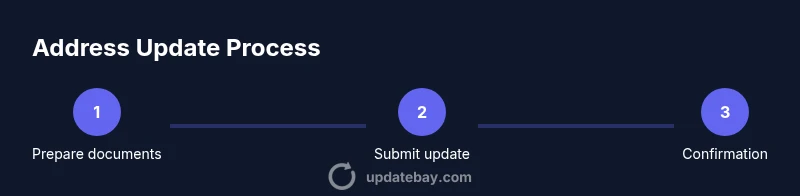
- 1
Prepare your documents
Collect your current license, proof of new address, and any required secondary IDs. Make sure documents are in your name and show the same address you plan to use. Having digital copies ready can speed up online submissions.
Tip: Scan or photograph documents at high resolution to prevent blurry uploads. - 2
Choose your update method
Decide whether to update online, by mail, or in person based on your state’s options and your timeline. Online updates are typically quickest, but some situations require an in-person visit for identity verification.
Tip: Online verification often yields immediate confirmation; print or save the confirmation page. - 3
Submit the change
Fill out the update form with accurate address details and attach the required documents. Review everything carefully before submitting to avoid delays or rejections.
Tip: Double-check the spelling, suite numbers, and state abbreviations on every document. - 4
Pay any required fees
If your state charges a processing or replacement fee, complete payment using the accepted method. Keep a payment receipt for your records.
Tip: Record the transaction ID or confirmation number for future reference. - 5
Receive confirmation
Expect a confirmation via email, SMS, or portal notification. Some agencies mail a new license or a supplemental card with updated address.
Tip: Save the confirmation details and note any reference numbers. - 6
Verify and update other records
Check related records (car insurance, voter registration, bank accounts) and submit updates where needed. This helps prevent misdelivery and identity verification issues.
Tip: Set calendar reminders to review records after a move.
Frequently Asked Questions
Do I need to update my address if I moved within the same state?
Yes. Updating ensures your records reflect your current residence and helps you receive important notices without delays.
Yes, if you moved within the same state, update your address to keep your records accurate.
Can I update online, or do I have to visit a DMV office?
Most states offer online updates. If online is not available, you may need to mail in a form or visit a DMV office.
Online updates are common, but check your state for exceptions.
What documents are typically required to update address?
You’ll usually need your current license or ID and proof of new address like a utility bill or lease. Some states require a second ID.
Expect to show your ID and proof of address; a second ID may be requested in some states.
How long does the update take to reflect on my license?
Timing varies by state and method. Online updates are often quickest; mail or in-person visits may take longer.
Timing depends on your state, but online updates are usually fastest.
Will I receive a new license in the mail after updating my address?
Some states mail a new license with the updated address, while others simply update the portal record. Check your state's process.
Some states mail a new license; others update the record online.
Should I inform the post office separately?
Yes. Informing the post office ensures mail forwarding to the new address and reduces missed correspondence.
Yes, it's a good idea to notify the post office to avoid missed mail.
Watch Video
What to Remember
- Gather required documents before you start
- Choose the update method that fits your timeline
- Double-check all address details to avoid delays
- Verify updates across related records after completion