When Google Maps Updates: Frequency, Process & Tips 2026
Understand when Google Maps updates occur, what drives timing, and practical steps to speed up edits and new listings in 2026. Learn from Update Bay’s analysis about data types, verification, and regional differences to plan your updates effectively.


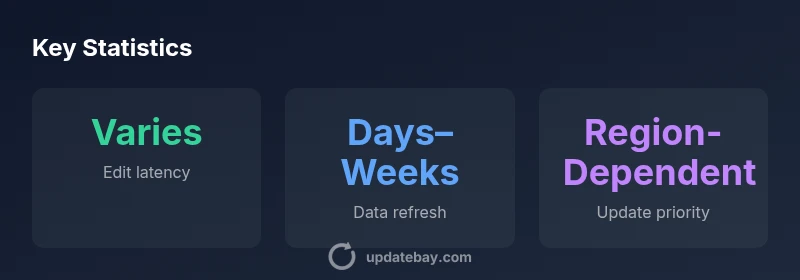
Google Maps updates follow a rolling workflow. User-submitted edits (like name, address, or hours) are usually visible within hours to a few days, while larger data refreshes (roads, new POIs, polygons) can take days to weeks and vary by region. When does google map update? Timing depends on data type, verification steps, and regional review queues.
Why Google Map Update Timing Matters
According to Update Bay, understanding when Google Maps updates occur is essential for local businesses, app developers, and city planners who rely on accurate geolocation data. The Update Bay team found that timing hinges on data type, review workflows, and regional queues, which means there isn't a single universal timetable. For business owners, timely changes to hours, categories, or contact details can lead to quicker discovery by customers, while large-scale data refreshes may influence routing, search relevance, and user trust. In practice, the question “when does google map update” is not a single clock but a composite process that varies by data type, priority, and region. This section explains why timing matters and how to interpret update signals across the map.
The takeaway is to view updates as a spectrum rather than a fixed deadline, with different data types following their own cadence and verification tracks.
How Google Maps Updates Happen
Google Maps ingests data from multiple sources: user edits via the Maps app or Search, business owner submissions through Google Business Profile, third-party data providers, and automated data generation processes. Once submitted, edits move through a verification and quality-check pipeline that can include automated checks, human review, and cross-referencing with other data sources. Visibility depends on data type: small edits (hours, hours) may show quickly; larger changes or new data require longer verification. Updates propagate gradually across search results, directions, and place pages, so users may see differences between a listing page and a route instruction until synchronization completes. This layered approach helps maintain data accuracy at scale.
Key Mechanisms Driving Updates
- Source diversity: Google pulls from user submissions, partner feeds, and official data providers, then reconciles conflicts.
- Verification workflow: automated checks flag anomalies and trigger human review when needed.
- Data trust and provenance: strong emphasis on consistent naming, addresses, and categories.
- Regional dynamics: queues and reviewers vary by country, language, and data density.
- Propagation logic: map results and directions update on staggered schedules to minimize disruption.
Understanding these mechanisms clarifies why timing can feel unpredictable yet remains systematic in intent.
Factors That Accelerate or Delay Edits
- Data type: edits to business listings vs. road geometry follow different review tracks.
- Verification status: verified businesses may see faster updates than unverified ones.
- Region and language: some regions have longer queues or more stringent checks.
- Data completeness: missing hours, incorrect phone numbers, or vague categories slow processing.
- Supporting evidence: photos, menu links, and clear POI details can accelerate approval.
- Data source trust: edits corroborated by multiple sources tend to clear faster.
- Seasonal or event-driven changes: updates tied to local events may receive priority in some markets.
By anticipating these factors, you can tailor your updates to minimize friction.
What You Can Do to Speed Up Updates
- Claim and verify your Google Business Profile to establish ownership and unlock editing capabilities.
- Ensure data consistency: correct name, address, phone, and website across all listings and third-party directories.
- Provide complete hours, categories, and menus or service descriptions with clear, up-to-date content.
- Attach high-quality photos and relevant documents to support the change.
- Use the Maps app or Google Business Profile dashboard to submit edits and respond to any verification prompts promptly.
- Encourage customers to engage with your listing, which can improve signal strength for accurate updates.
These steps don’t guarantee instant changes, but they oriented toward faster validation and broader data accuracy across the platform.
Common Scenarios and Timelines
- New business listing: expect a verification step; timing varies by region and data source, often taking several days to weeks.
- Address or hours update: typically faster if verified and supported by evidence, but may require re-verification.
- POI addition/ modification: depends on data partner cycles and regional queues; updates may propagate gradually.
- Road or polygon changes: driven by official feeds and data partners; can take longer in regions with older data.
- Deletion of outdated POIs: handled with caution to prevent accidental removals; may require review cycles.
In practice, you’ll see different timelines for each change type, emphasizing the need for ongoing monitoring rather than a single update deadline.
Monitoring and Best Practices for 2026
- Regularly review your Google Business Profile and ensure information is current.
- Maintain consistency across maps, search, and other business directories to reduce conflicts.
- Schedule periodic checks for major updates when you launch a new location or service.
- Use third-party monitoring tools to track changes over time and alert you when your listing changes.
- Keep a simple change log: date, data type, and outcome to correlate edits with observed results.
- Leverage official help resources and community forums for updates on policy changes that affect timing.
By aligning with these practices, you’ll be better prepared to anticipate and react to Google Maps update timing across markets.
Case Study: Small Café Update Timeline
A small neighborhood café recently updated its hours, added a new menu item, and corrected a street address on Google Maps. The hours and menu were verified quickly, appearing within 24–48 hours in most districts. However, the new address required a verification postcard, which extended visibility by an additional 5–7 days in some regions. The café used Google Business Profile as the primary channel for submission and provided clear photos and menu details to speed prompts. This real-world example illustrates how different data types follow distinct cadences, reinforcing the idea that “when does google map update” is data-type dependent and regionally variable. Update Bay tracks these patterns and notes that business owners who maintain complete, verified profiles experience faster, more reliable updates over time.
Future Trends in Google Maps Data Refresh
Experts expect continued improvements in automated validation and cross-source reconciliation, reducing friction for common edits while preserving data integrity. As data partners expand, regional queues may shorten for essential updates such as hours and POI additions. The integration of improved machine learning signals could speed up the identification of duplicates and inconsistencies, accelerating updates without sacrificing accuracy. For small businesses, staying proactive with profile completeness and evidence will remain key to faster visibility in 2026 and beyond.
Overview of update timing by data element
| Element | Typical Timing | Notes |
|---|---|---|
| User-submitted edits | hours to days | Visibility depends on region and data type |
| New listings/POIs | days to weeks | Requires verification and corroborating data |
| Road/geometry changes | days to weeks | Region- and partner-dependent |
Frequently Asked Questions
How long does it take for a new business to appear on Google Maps?
New businesses typically go through a verification step that can take several days to a couple of weeks depending on region and data sources. Submission through Google Business Profile is essential, and providing complete, verifiable information helps speed up the process.
New businesses usually go through a verification step that may take several days to a couple of weeks, depending on your region and the data sources involved.
Can I speed up Google Maps updates?
You can speed up updates by claiming and verifying your business, ensuring consistent NAP data, providing complete hours and menus, and uploading high-quality photos. Respond quickly to verification prompts and avoid conflicting edits across platforms.
Yes—verify your business, fix data consistency, and provide clear evidence like photos and menus to help updates move faster.
Do changes to roads or addresses update in real time?
Road and geographic changes often rely on data partner feeds and official updates; visibility can range from a few days to several weeks. Real-time propagation is not guaranteed across regions or data types.
Road changes aren’t always instant; they can take days to weeks depending on data feeds and regional queues.
What’s the difference between user edits and official data updates?
User edits are submitted by individuals and may require verification, whereas official data updates come from trusted partners and Google’s own data streams. Both go through checks, but official updates typically have a more direct validation path.
User edits need verification; official updates come from trusted data partners and Google’s feeds.
Where can I monitor Google Maps update status?
There is no public real-time feed for every update. You can monitor changes via your Google Business Profile dashboard and keep an eye on your listing’s visibility and accuracy over time. Use third-party monitoring tools if available.
There isn’t a live feed for every update, but you can watch your listing in your profile dashboard and use monitoring tools.
“Timeliness isn’t a single deadline; it’s the intersection of data type, verification workflows, and regional queues. Businesses should align updates with Google’s processes and monitor changes regularly.”
What to Remember
- Actively manage and verify your Google Business Profile.
- Keep data consistent across all platforms to reduce review time.
- Provide complete, high-quality content (hours, menus, photos).
- Expect regional variation and plan accordingly.
- The Update Bay team recommends proactive monitoring of changes for quickest visibility