Update Your Driver's License Address Online: A Step-by-Step Guide
Learn how to update your license address online across agencies, required documents, and a step-by-step workflow to stay compliant and secure. Update Bay guides you through a practical, safe process.


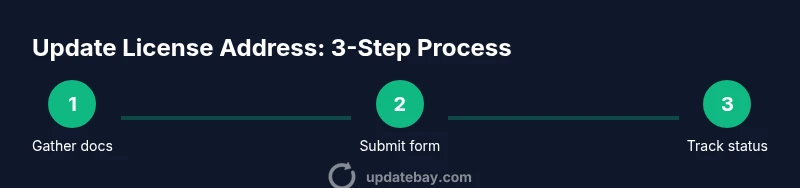
Updating your license address online lets you keep government records accurate without visiting a physical office. Start with your identity documents and a current address proof, then follow the official portal steps to submit the change and confirm receipt. This quick, secure process minimizes mail delays and potential penalties. Ensure you capture confirmation numbers for tracking.
Why updating your license address online matters
Keeping your address current ensures you receive time-sensitive notices about renewals, recalls, and important DMV communications. It also helps keep your driver's license status, vehicle registrations, and associated records synchronized across agencies. Online updates are typically faster, auditable, and less error-prone than paper forms mailed between offices. This guide from Update Bay explains what you gain by choosing the online path and how to minimize friction for tech users.
When you update online, you reduce the risk of mail delays and misdirected notices. Your records reflect your current residence, which helps with safety and compliance. The process is designed to be accessible from a computer or mobile device, but preparation matters. By planning ahead and using official portals, you can complete the update with minimal back-and-forth.
Which agencies support online address updates
Across the United States, many state DMVs offer an online portal for updating your address on a driver's license and vehicle registration. Some localities require you to verify your identity and address in person, especially if your move crossed state lines. Always use the official government domain (often ending in .gov or a state-specific suffix) to avoid phishing. When possible, you can handle multiple related updates in a single session, saving time and keeping your records aligned. If your state supports a centralized service, you may be able to update your address across related records in one go.
Note that some jurisdictions may still require in-person verification for certain scenarios, such as name changes or new residency proofs. Always check the latest guidance on the official portal before assuming what is needed.
Privacy and security considerations
Online changes involve sensitive personal data. Use a device you control on a trusted network, enable two-factor authentication where available, and log out after completing the update. Look for HTTPS in the URL and a visible padlock icon; if something looks off, stop and verify the site. Never share login credentials, and beware of emails or texts asking you to click a link to "update" your address—these are common phishing tricks. If a portal asks for unusual information or redirects you to a third party, exit and verify via the official site.
For added security, avoid public Wi-Fi and clear your browser cache after finishing. Consider maintaining a secure password manager and reviewing any connected apps that have access to your DMV account if you use a single login.
Preparing for the update: documents and verification
Before you start, gather documents that prove your identity and your current address. This typically includes a government-issued ID, a recent utility bill, lease agreement, or bank statement. You may also need a proof of legal residence or residency if your new address differs from your prior one. Having digital copies ready (PDF or image files) speeds up form completion. If your portal allows, organize copies in a single folder with clear filenames that include your name and document type to reduce file search time during submission.
Double-check that the address you provide matches your legal documents and USPS records to minimize the chance of post-update issues.
Post-submission steps and reminders
After submitting the address change, you’ll usually receive a confirmation number or email. Save this information in a secure place and note any processing or mailing timelines provided by the agency. If the portal indicates that the update is pending verification, check back within the stated window and be prepared to provide additional documents. Some agencies will mail you a new license or registration card only after the change is verified; others may show updated status in the online portal immediately. Keep digital copies of any receipts or confirmations for your records.
Tools & Materials
- Identity documents(Government-issued ID (e.g., driver's license, passport) for identity verification)
- Proof of current address(Utility bill, lease, or bank statement that shows your name and new address)
- Device with internet access(Laptop, tablet, or smartphone with a stable connection)
- Payment method(Debit or credit card or other accepted online payment method for any fees)
- Digital copies of documents(PDFs or images ready for upload if the portal supports document uploads)
- Notepad and pen(To record submission IDs and important details)
Steps
Estimated time: 60-90 minutes
- 1
Gather required documents
Collect identity documents and proof of address, and ensure you have digital copies ready. Verify that the names and addresses match across documents to avoid verification delays.
Tip: Organize files in a single folder with clear filenames (e.g., John_Doe_ID.pdf). - 2
Open the official portal
Navigate to the official state DMV or agency portal. Confirm the domain is legitimate (look for .gov or state-specific domains) to avoid phishing sites.
Tip: Bookmark the official page and avoid clicking links from unsolicited emails. - 3
Navigate to the address change section
Find the service labeled address change, update, or residency; if you’re unsure, use the site search or help center. Read the instructions on the page before proceeding.
Tip: If the site offers multi-record updates, choose only the records you need to change now. - 4
Enter your updated address
Type the new address exactly as it appears on your proof documents. Double-check street, city, state, ZIP, and apartment numbers to avoid errors.
Tip: Copy-and-paste from a trusted source to minimize typos; validate with USPS address lookup if available. - 5
Upload supporting documents
Attach required documents in the accepted formats (PDF/JPG). Ensure files are legible and not zoomed out of focus.
Tip: Rename files to include your name and document type for easier review. - 6
Submit the form and pay fees
Review all fields, submit the form, and complete any applicable payment. Save or print the confirmation receipt or transaction ID.
Tip: Take a screenshot of the submission confirmation and note the time of submission. - 7
Track status and await verification
Return to the portal to check status or watch for email updates. Some updates appear instantly; others require processing time.
Tip: Set reminders to check back in a few business days if there’s no update.
Frequently Asked Questions
Do I need to pay a fee to update my address online?
Many states offer free online address updates, while others charge a nominal fee. Check the official portal for current pricing and accepted payment methods.
Fees vary by state; check the official portal for the exact amount and accepted payment methods.
Can I update my address on my mobile phone?
Yes, most agencies provide mobile-friendly portals or apps that support address changes. A stable internet connection improves success rates.
Yes—use the official mobile portal or app for a convenient update.
What if I moved to a different state?
An interstate move may require different forms or in-person verification in some cases. Start at the official state portal and follow the guidance for out-of-state updates.
Interstate moves can require extra steps; follow the official guidance carefully.
Which documents are accepted as proof of address?
Most portals accept utility bills, lease agreements, bank statements, or government correspondence showing your name and current address.
Common proofs include utilities, lease, or bank statements showing your address.
How long does it take for the update to reflect?
Processing times vary by agency. Some updates appear immediately online; others may take days. Check status in the portal for the latest.
Processing times differ; check the portal for the latest status.
What should I do if the portal shows an error?
If you encounter an error, first refresh the page, then re-enter the information. If problems persist, contact official support through the portal’s help center.
If you see an error, retry and contact official support if it continues.
Watch Video
What to Remember
- Use official portals to update addresses.
- Prepare identity and address proofs in advance.
- Save submission confirmations for tracking.
- Double-check address accuracy before submitting.
- Monitor status until the update completes.