Difference Between a Patch and a Plug: Practical Guide
Explore the difference between a patch and a plug across software and hardware contexts. Update Bay analyzes definitions, deployment, and decision criteria to help you choose the right approach for reliability and extensibility in 2026.


The difference between a patch and a plug shapes how you fix issues and extend capabilities. A patch patches software or firmware by updating code to fix bugs or seal security gaps, normally delivered digitally and deployed during maintenance windows. A plug adds modular functionality or hardware connectivity—either as a plug-in or physical accessory—without changing the base code. This quick guide from Update Bay highlights when each approach is appropriate and how they impact risk and deployment timelines.
What these terms mean: patch vs plug
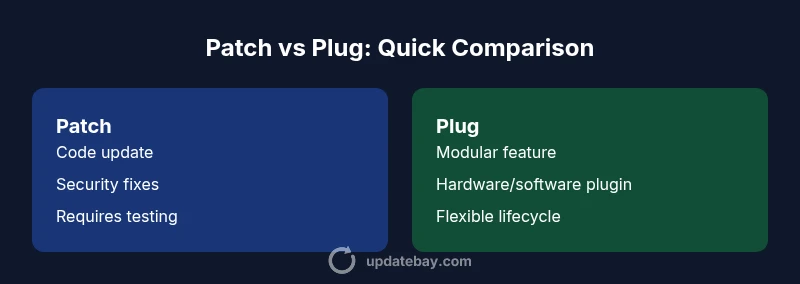
At the core, the phrase difference between a patch and a plug signals two distinct approaches to improving a system. A patch modifies the existing codebase to fix defects, close security gaps, or improve performance. Patches are usually delivered as software updates, downloaded or pushed by the vendor, and installed with care to minimize disruption. A plug, by contrast, refers to an add-on—either a plug-in that extends software functionality or a physical plug that adds hardware capabilities. Plugs are designed to be modular and sometimes hot-swappable, allowing users to customize a system without changing the underlying software. In everyday IT practice, patches and plugs are complementary: patches ensure reliability; plugs enable feature expansion or integration with other devices.
Understanding the distinction helps IT teams plan maintenance windows, security patch cadences, and user training. When you hear the term 'difference between a patch and a plug', you should immediately think about scope (code vs module), deployment path (digital update vs physical or modular install), and risk profile (firmware risk vs plugin risk).
Core distinction: scope, impact, and deployment
The difference between a patch and a plug hinges on three pillars: scope, impact, and deployment. Patches target the software or firmware layer, altering code paths to fix defects or vulnerabilities. Plugs operate at the modular layer, either as software plug-ins that extend capabilities or as physical connectors and peripherals that expand compatibility. Deployment for patches is typically digital, occurs through a vendor channel, and may require reboot windows or maintenance downtime. Deployment for plugs can be online (for plugins) or offline (for hardware), and often emphasizes backward compatibility and interchangeability. In practice, patches focus on reliability and security, while plugs focus on extensibility and customization.
Patch-centric perspective: when patches matter most
Patches are essential when core functionality is unstable, security is at risk, or compliance requires fixes. In the realm of software updates, the patch approach prioritizes fix quality, regression testing, and rollback plans. Patches can be cumulative, meaning you install a sequence of updates to reach a secure state, or they can be targeted, addressing a specific CVE or bug. For teams managing critical systems, patching cadence governs risk exposure and uptime, so testing environments, change control approvals, and clear rollback procedures are vital when considering the difference between a patch and a plug.
Plug-centric perspective: when plugs shine
Plugs excel where customization and rapid feature expansion are valued. Software plugs (plug-ins) let users tailor applications to exact workflows, often without touching core code. Hardware plugs add new capabilities, such as additional ports, sensors, or performance accelerators, without requiring a full system rebuild. The plug approach emphasizes interoperability, ease of upgrade, and modularity. When evaluating the difference between a patch and a plug, consider how plug-based improvements affect compatibility, licensing, and ongoing maintenance.
Deployment cadence and risk: comparing the nuances
Digital patches arrive with published release notes, installed updates, and sometimes mandatory reboots. They introduce a formal change control process and a well-defined downtime window. Plugins and hardware plugs can be updated or swapped with less disruption, but they can introduce compatibility risks or security concerns if the plug ecosystem is not properly vetted. The risk profile of patches versus plugs reflects both the certainty of the change and the scope of what is changed. In practice, a thoughtful strategy uses patches for core reliability and plugs for strategic feature growth, balancing speed with safety.
Decision framework: choosing between patch and plug (practical steps)
When deciding between a patch and a plug, start by defining the problem: is the primary goal to fix a bug or secure a vulnerability, or to extend functionality and hardware compatibility? If the issue touches core software behavior, a patch is typically warranted. If the goal is to add a feature or improve integration without risking core stability, a plug is often preferable. Next, assess impact: will the change require downtime or a vendor-supported maintenance window? Consider risk: does the change introduce potential incompatibilities or security risks? Finally, map to cadence: patch cycles tend to align with release trains, while plug updates may follow vendor or ecosystem schedules. The difference between a patch and a plug is not just technical; it’s organizational and operational.
Real-world scenarios and case studies
In corporate IT environments, a software patch might fix a vulnerability that could be exploited in a public-facing service. The patch approach becomes a governance and testing exercise, with back-out plans and user communication. For a graphic design suite, a plug-in can dramatically alter workflows by introducing new filters or automation, with a shorter path to production but with careful evaluation to avoid plugin conflicts. End-user devices, too, often rely on hardware plugs to expand capabilities (e.g., USB adapters or external GPUs) while software patches keep the core system secure. The practical takeaway is that the difference between a patch and a plug guides both risk management and user experience.
Comparison
| Feature | Patch | Plug |
|---|---|---|
| Definition | Software/firmware code update that fixes defects or security gaps | Modular enhancement; adds functionality or connectivity without changing core software |
| Deployment method | Digital distribution; vendor-pushed or user-initiated installation | Plug-in installation or hardware accessory; may be online or offline |
| Impact on system | Changes core behavior; may require reboot and regression testing | Extends capabilities; preserves base system stability |
| Lifecycle | Tied to software release cycles; patch cadence often predictable | Linked to plugin/hardware lifecycle; often modular and replaceable |
| Best for | Reliability, security, bug fixes, and compliance | Feature expansion, customization, and hardware integration |
Positives
- Addresses core reliability and security concerns quickly
- Allows targeted improvements without changing user workflows
- Patch processes support governance, auditing, and rollback
- Plug-based approaches enable rapid feature expansion and customization
- Modular plugs can be swapped to test new capabilities
Downsides
- Patches can cause downtime or compatibility issues with legacy systems
- Plugins and hardware plugs may introduce security or stability risks if not vetted
- Patch churn can overwhelm change management processes
- Relying on plugs may fragment the user experience across environments
Patch-first for core stability; plugs for targeted enhancement
For core reliability and security, patches are typically the safer default. Use plugs when you need modular features or hardware integration without disrupting the base software.
Frequently Asked Questions
What is the main difference between a patch and a plug?
The main difference is that patches modify core software to fix defects or vulnerabilities, while plugs add modular functionality or hardware capabilities without altering the base code. This distinction guides deployment, risk, and maintenance planning.
Patches fix the core software; plugs add new features without touching the base code.
When should I use a patch instead of a plug?
Choose patches when the issue affects core behavior, security, or compliance. Patches ensure stability and reduce risk to the primary system. If the goal is to add a capability without changing core software, consider a plug.
Patch for core fixes; plug for new features.
Can patches and plugs be used together effectively?
Yes. In many environments, patches maintain system integrity while plugs extend functionality. A coordinated strategy minimizes disruption and maximizes compatibility by validating plug ecosystems during patch planning.
They can work together when planned properly.
Are patches always free?
Patches are not universally free; some patches come with software licenses or maintenance contracts. Always verify licensing terms and support coverage when evaluating a patch.
Not always free; check licensing and support.
Do patches require downtime?
Downtime depends on the patch and system. Some patches install without noticeable downtime, while others require maintenance windows or reboots. Plan accordingly with rollback options.
Downtime varies; plan and test.
How do I assess risk when deploying a patch or plug?
Assess risk by testing in a staging environment, reviewing change logs, and validating compatibility with existing plugins or hardware. Establish a rollback plan and monitor post-deployment behavior.
Test first, review changes, plan rollback.
What constitutes a good decision framework for patch vs plug?
A good framework weighs impact on core functionality, security risk, and user experience. It also considers maintenance burden, vendor support, and long-term sustainability of the solution.
Weigh core impact, risk, and maintenance.
What to Remember
- Prioritize patches to fix defects and secure systems
- Use plugs to extend capabilities without touching core software
- Assess downtime, compatibility, and risk before deployment
- Plan patches within governance and rollback procedures